February 21, 2012

Little Hearts - a Parenting Poem

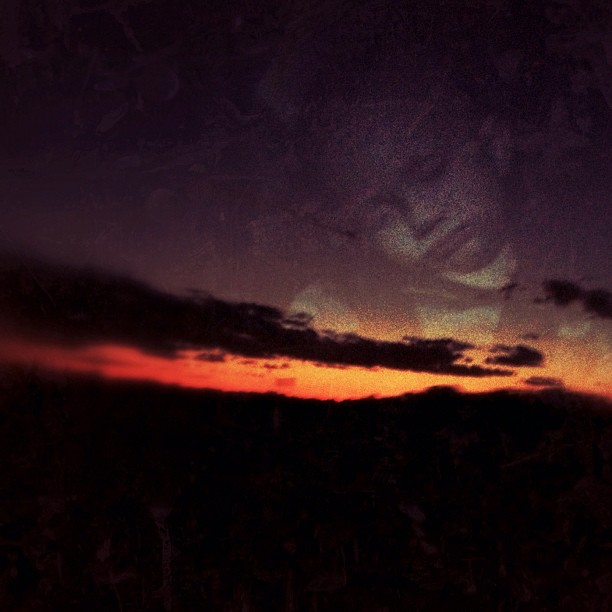
One of the beneficiaries of the #momheart conference #ilove

Last week we moved like sunlight on ripples of water - flickers of light, moving and changing. Hardly a moment of stillness.

We visited grandma's house, had a family of 7 stay with us for a few days, had a grandparent over for dinner, went on a couple of field trips, visited with blog and IRL friends, went to a conference, and tried to get back in to a routine when we got home.

Somewhere in all those moments, we took time to breathe... and smile, and laugh, and cry.

Today was our menu and grocery shopping day. Amazing how long coupon clipping takes... but that's another post entirely.

Sunday our littlest was dedicated at church. Where we go to church, the elders of the church ask the parents to bring the children up in the Lord and they pray for the parents and recognize the babies, sometimes giving them little bibles with their names engraved on them. This year they read a sweet poem written by a woman at our congregation who has a heart for the young.

I couldn't resist sharing the poem with you. 

Little Hearts

There is no greater treasure than our little girls and boys.
Jesus left them a legacy of total peace and joys.


Children learn what they live and see in their homes.
Read to them the Bible, which teaches them not to roam.


Our babies need to know authority and have loving discipline too.
This gives them direction that lasts their lives through.


Causing the young to stumble, and their tender hearts to break...
We can be sure, no matter what, they can always tell a fake.


Their little hearts mature with harmony and contentment.
But they grow up unhappy, when they feel resentment.


Listen carefully to the things they want to share.
Never pushing them away, for it proves you really care.


The family gathering around the table is important to their day.
Taking time to bond, eat and bow their heads to pray.


Be kind an approachable as Christ always was.
Hug them, love them, praise them if it is only just because.


The youth are the Lord's kingdom of tomorrow and the promises of all to come.
Instill in them strong principals; and they will never go far wrong.


by Laraine Montgomery, 1998

Isn't that so sweet? Now I'm off to put my little people in bed...


Subscribe to Sprittibee by Email

February 15, 2012

iLearn Fast

siblinglovery

One thing is for sure in my house... the iPad doesn't belong to mama. It wasn't long after I got it that everyone in the family claimed it as their own. Daddy used it every morning to check Google News while he ate his breakfast... and even encouraged me to get my leather keyboard case which doubles as a stand so that it sits perfectly before a steamy bowl of oatmeal.

The big kids liked using it, too. For a while it made them leave our phones alone. Angry Birds takes on a whole new level of fun on the larger iPad screen.

ipaddelight

My daughter's favorite iPad use was checking her email and reading on the iBooks app. Which she was trying to do in this little photo essay. Unsuccessfully of course.

learningthelight

And then we discovered that the babies are very quick learners... who could even purchase things through the app store without us knowing it. That's how we came to own a copy of Mercer Mayer's Litter Critter touch book... and a Winnie the Pooh touch book.

littlemoth

It is amazing how well they get around on the iPad... sliding and tapping... watching and learning.

couchlite

We take it every time we go to the doctor's office or anywhere else that quiet and stillness will be required of the younger children... because it mesmerizes them and holds their attention for long periods of time.

iNotsoTiny

I can't imagine how it must be growing up in a world with touch screens and talking electronics. How fast their world is!

iLight3

Just recently my three year old has started saying "ISH" after all of his colors... and we figured out that it was because Siri (the digital assistant on the iPhone that talks to you) says her favorite color is "greenish with more dimensions".

bluescreeneyes

Soon these little dudes will know more about current technology than their mother.

iReading

The teenagers already think they do. And well, maybe they do. But I would never admit it to them. There would be no living with them.


Subscribe to Sprittibee by Email

February 12, 2012

And Then He Was 15

kaden-eye

He arrived a little after 2:30 AM - my little 'friend'. His name means 'companion'. He's been just that. 

My little whiz kid was good at everything he tried. His pediatrician couldn't believe that he knew all of his animal noises at age 9 months. He was walking by 10 months and talking in sentences by a year. He always astounded us with his new talents and abilities.

Once his sister got here, he became a little boss man, making sure she wasn't in the street when they went out to play - making sure she wasn't putting things in her mouth or doing anything mama didn't like. We called him our legalist. There was no way she was going to get in trouble with him watching out for her.

He loved bugs, rocks, trains, and playing in the dirt or water. Our little book lover - a reader, a nature nut. He's one of those kids that learns on his own and then makes you look like you did a great job teaching. If it weren't for his hatred of math, I would call him a straight A student.

It has been such a delight getting to know him; listening to him and his excited stories about the things he learns... watching him grow up in to this amazing young man that has such a tender heart and a love for others (besides maybe his three year old brother).

Now that he's fifteen, I am staring at the clock, counting down the seconds until he's not mine any more. I am wondering where all these years have gone... how that little boy became a man right under my nose.

Good kid. I love him. #teen #homeschool

How do you let go and watch your baby get big? How do you ever recover when a piece of your heart changes its address? Maybe I'm getting a little ahead of myself tonight.

Today he told me, "Mama, don't worry - I'm a klutz. There's no way I want to learn how to drive this year."

DRIVE!!!

Maybe he'll wait until he's 17.

I can't imagine 17.

When I get used to 15, I'll let you know.

February 05, 2012

Iphone Texas and ALL the Photo Apps You'll Ever Need

Guilty pleasure: #instagram

I have a guilty addiction. In case you don't already know what it is... I'll give you a hint:

It starts with INSTA and it ends with GRAM.

Instagram is like a mobile iphonography club. It is like twitter with photos. Or Facebook without the scary links to everyone in your email box without your permission. Or for you older folks [I'm really dating myself here...] it's like the old party-line phone, you know - the one that you could pick up and listen in on and hear everyone's conversation - and only join in if you wanted to. You follow the people's photo streams that you are interested in... your friends, your family, photographers and strangers. You don't have to comment if you don't want to. Just scroll through your "feed" and double click the photos you love. Comments are optional but treasured.

You can even follow along on the Web at Webstagram. It is much easier to type replies out with your keyboard.

Warning: Iphonography is addictive. [There are even entire blogs about it! Yeah, and my friend Dawn has a great link-up on Fridays called Camera Phone Friday that you can make collages from your weekly photos and share.] Seriously. It is becoming an epidemic.

Love this quote by @joshjohnson (follow him on Instagram)...

iphoneographer revolution by @joshjohnson

The cool thing about Instagram is that it helps you share - and keep a personal record of - your daily life. It's a mobile-phone scrapbook; slices of yourself - the things you see, the things you love, the art you make from the world around you... every day.

And there are SO MANY photography apps for your iPhone that are amazingly helpful at editing your pictures so that they pop. I have taken a photo of a few of my Photography folders on my iPhone for you to see. Below the graphic are some tips on each app that I own...

Sharing my photography app addiction. #instagram #instadaily #apps #retouching #filters #editing #photoart

Photobucket: I don't really use this app any more because I use Flickr for most of my photos now. I'm trying to move away from having multiple accounts for graphics.
Diptic: This little collage app is the best way to make tiny collages out of your photos. You can add up to 4 pictures in to a collage and pick the layout and size of the rectangles or squares. It allows you to change the border colors and round the edges as well.
Labelbox: Neat little tool to add tape or ribbon to your photos and type on them. This is one that I got early on, but I don't use it as much any more. I purchased one today called Phonto that allows you to add text (and some others of mine allow it, too) - upon recommendation from one of my favorite Instagrammers: @Texaschica (follow her - she posts awesome pix and she's a homeschool mom)!
iRetouch: I got this one in the early stages of my iphoneography addiction, and it has a lot of editing tools similar to PS Express, but to me, it is just a duplicate application now - since I found others that do the same thing and are more enjoyable.
More Noel: Fun app to add bubbles of light or stars and shine to a photo. You'll need to start with a good photograph that has high contrast or dark color, or it will wash the picture out.
Halftone: Turns your photos in to comic strips with spots for you to fill in the date or journal a bit about them.
Instagram: community photo site where you can follow/block/like pictures by others. Great place to share your photos you take of daily life. You can take part in monthly challenges or tag friends and grow your talent as you practice and "gain new eyes" for the world around you. The program has quite a few filters - black and white, a 70's look, a bit of texture, a brownish filter called Earlybird, etc. You can take photos and alter them in Instagram and not have to edit them elsewhere if you want. If you are a casual user, it has plenty of bells and whistles. When you finish with your picture, you can hashtag it to be included in group pools (like a Flickr group, but for Instagrammers), you can save it to your phone, you can tag others in your description and it will send them a message, AND it will automatically upload to Flickr, Twitter, and Facebook - depending on what you select! It is the easiest, fastest, and "coolest" way to get your phone pictures uploaded to your Flickr account.
PS Express: Photoshop's little iPhone App. It has some neat filtering tools - and if you want to pay nearly 5$, you can get the image smoothing feature ("reduce noise") that takes the digital-looking edge off of your mobile pictures. I have seen some edits using this feature and they are amazing. I didn't want to purchase the full pay app, so I use the free version. You can edit exposure, saturation, tint, contrast, make a black and white, crop, sharpen, soft focus (blur), create a sketch, add a border, or do a quick color effect like 'vibrant', 'pop' (think Andy Worhol), or my favorite: 'Vignette Blur'. This was my first app for photos and I don't use it as much as I used to, but I do think it is worth it - especially if you are serious and buy the paid version so you can "reduce noise".
Flickr Sendr: No explanation needed. Upload your mobile pictures straight to your Flickr account and tag them - easy peasy. I use this for photos that I do not want cropped (rectangular photos are cropped to squares by Instagram).
Hipstamatic: This is an awesome app if you like to tinker with 'off the hip' shots. It has a 'pretend' camera and allows you to pick the lens type and film type and then you take photos from inside the app and it gives you the result. I have gotten some cool effects from the app, but I like to have more control over the photo and didn't have time to really play with it enough to gain the control I wanted. I purchased the manual for the app, but didn't want to waste more money for additional film or lenses. If you are bored, this would be a really fun "toy" to play with for those who are addicted to iphonography. I would suggest Photo Forge 2 (see below) if you are interested in this app.
HipstaHelp: The manual for Hipstamatic - which shows you some hacks on how to achieve the coloring and effects you want from the app. I highly recommend buying it if you like Hipstamatic.
Dynamic Light: Really cool set of filters you don't want to be without. It has a wicked HDR 'overcooked' filter. The app auto-edits your image when you open it and allows you to decide if you want to keep it. The little FX button takes you to a world of extra filters to play with. It has a 'Manga' filter, a 'Orton' filter, a vignette, a 'Realistic Skin', and a set of aged photo filters to make your picture look like it came from your grandparent's time gone by. My favorite of those is called 'Calm Print'.


Photo app madness. Some faves. #photoart #editing #filters #retouching #apps #instadaily #instagram #jj #all_shots #febphotoaday

Camera+: This is probably my very favorite editing application. I love it. It has a lightbox where you can pull in more than one photo at a time to work with. It allows you to save to your phone, edit, crop, add borders, use effects (filters), and send to Flickr, Facebook, Twitter, SMS or email. One thing I use often in this app is the adjust feature (you can rotate and flip photos with it easily). I also use the 'Clarity' feature because it sharpens and pops your images in one click. It has smart edits that adjusts for different types of scenarios, too... like 'cloudy', 'portrait', 'scenery', 'night', 'sunset', 'concert', 'food', 'fluorescent', 'shade', 'backlit', and a fake instant 'flash' you can apply. There are four pages of color filters and they are my favorite of any program. I bought the fourth page (they are extra $) because I felt they added to the program. You could get away with just this one app and Instagram in my humble opinion. But I'm addicted to editing, so I had to keep going!
Xiamen (the Red Korean Photo App): I know, you can't understand it! But it is easy to navigate by looking at the universal buttons. My favorite features in Xiamen are the filters and the circular center focus ring feature. You can pick the sharp portion of the photo and have a circular radius of blur that extends from it - making the rest of the photo out of focus and soft (this same feature is in Snapseed). You can alter color and crop from Xiamen, but mind your Korean! I mainly use the filters because they require no foreign language skills. Just click the little magic wand and three scrolling rows FULL of filters appear. There's a nice HDR and some pretty LOMO filters, two really nice antiqued filters that add a little scratchy texture, and it even has a shine effect that makes your subject look like they are emitting rays of light like the sun. I used that on my Christmas tree angel topper this year and loved it. Xiamen has a couple of fake sun flare filters (you can also get this on Big Lens) and fake snow... and some great bokeh lights - in all different sizes and colors. It might take a while to get used to the strange characters, but the filters make it all worth it!
Tilt Shift Gen: I never bought the paid app, so I can't say that it isn't 'all that', but I don't ever use it. It was recommended to me by another instagrammer a long time ago, but I found that I had most of the features I needed in other apps (not worth paying for duplicates). If you know of a reason why I should give it another look, let me know!
Photos: I moved my iPhone photo albums in to this folder - this isn't an App.
Picfx: This one is my "texture" app. It has textures for a 'grunge' look, 'classic' looks like 'Old School' (a fave) and 'Olden'... and a bunch of texture overlays - including one that looks like cardboard and another that looks like peeling paint. For the really artistic, it has 'space' filters to add a galaxy of stars and light to your photos and for the grunge-lover, it has light leaks, sparks, and 'burnt film' looks. Picfx has a slew of great frames if you are making photos for Flickr or blogging that you don't plan to Instagram, however, Instagram might ruin the effect of the borders because it has it's own set of borders (that you can turn on and off). Also, when adding border to a rectangular photo, you have to remember that Instagram will crop the picture.
Pic Collage: Have to admit that I don't use this often. It is more of a non-Instagram app because it layers photos as if you laid them all down on the table. Instagram will crop these off at the edges if you use a bordered filter, so I usually upload straight to Flickr or Facebook if I use it.
FotoLr PS: There's a LOT to this app. It reminds me of a very different version of Camera+. It allows you to create collages and edit photos. The editing is much more detailed in this app than in most others. You can do a 'Quick Edit' by rotating, cropping, sizing, or even doodling on the picture. You can edit the 'Color' by changing the brightness, creating a mosaic, distorting, selective coloring, or using a TON of filters similar to those on both Camera+ and Tilt Shift Gen, and even create symmetry edits that alter the picture to look like a kalidescope or duplicate mirror copy of itself - fun! That's not all. You can edit blemishes, whiten teeth, add lipstick or blush, add fake eyelashes or googly eyeballs! The program allows you to add text also. It has a bunch of frames and additional ones you can download, too. I like their winter snowflake frame. You can also make your photo 'greeting card' or 'e-card' ready by using the "SCENE" feature which adds backdrops and props to your picture based on holiday, card, or classic themes. Beware - this program won't download or upload unless you are on a wireless network. It is too large for 4G. I suspect it takes up some space, too.
PhotoForge 2: Here's another one that has so much to it that I haven't had time to fully explore it. It has one of the most interesting and fun interfaces - your controls are listed as icons in a scrolling bar under your photo and you can zip through them very fast. I would venture to say that PhotoForge 2 probably does as much as all of these apps together if you have the free time to figure it all out and get used to it. I played with it tonight and discovered some new things about it I didn't even know... such as: it mimics Hipstamatic in that it allows you to alter your image with different films and lenses; which is really cool because you don't have to take your image and leave it that way - you start with your previously taken image and add the filters after - much better way to experiment! Sorry for the run-on sentence, but this app is a run-on of endless photo addict fix - I would highly recommend this to the true iphoneographist.
Frame Magic: I got this app when I was trying to figure out how to do rounded corners in my collages - without a border. I ended up going back to Diptic for my needs, so I really don't use this one that often.
PhotoLr CS: I haven't EVER used this app and I suspect that it is something that PhotoLr PS was giving away free one day (I don't like the ads that pop up in there). I played with this tonight and it looked to me like a camera that does zoom and shake. Not something I would use. I only use the Camera in Camera+ or the actual iPhone Camera app.
Snapseed: This is one of my newer apps, but I already have fallen in love with it. It has grunge filters, ways to edit color, spot edits (which I haven't figured out how to use yet), drama edits (tonight the 'Drama' edit on Snapseed was able to help the quality of a low-light photo I took at a restaurant before I instagrammed it), and a nice tilt & shift which is similar to the circular radius that blurs the rest of the photo but your "sweet spot" - however, it is a horizontal or vertical line instead of a circle (you can also do this in Big Lens). It has the center focus (circular blur) as well (also a Big Lens feature). It has drama filters, grunge filters, vintage filters, frames, black and white filters, and other fine tuning options that I just haven't had time to play with. Snapseed is one of the more recommended apps on Instagram, so I suspect if you don't hear it from me, someone else will tell you to get it!
Big Lens: Another new one for me, but a great app! You can selectively add edits to the photo based upon you picking the part of the photo you want to be changed or stay the same. This app allows you to add a bokeh effect and make the picture look as if you used a DSLR lens. It has shaped bokeh - stars and hearts included. Big Lens has some great filters that you won't find elsewhere; my favorite being the solar flares. They look very realistic - like what you would get off of a glass lens. You'll find a variety of filters in this app, too - with warms, colds, lomos, flares, and a neat one called 'fire' that you won't find elsewhere.

I added FOUR new apps to my collection today that aren't listed up there, too: Percolator, Blender, A-HDR, and Phonto. I'm just getting used to them, so maybe I'll review them later!

Flags #Texas #usa #America #iphone #blue #sky

I love iphonography so much that I started a new Flickr group today for those of us who love Instagram and our iPhones and are in Texas!

If you are in Texas (or just love Texas - displaced Texans welcome), join the fun at our Flickr Group page: iPhone Texas! Yeeehaw!

You can enter up to 2 iPhone shots a week that are family friendly. I might feature a few of them here with your permission.

You can play along by hashtagging your ig photos as well. All you do is type #iphonetx on your captions when you post photos to Instagram and you'll automagically be entering them in to a searchable pool!

febphotoaday by @fatmumslim

In the mean time, if you are looking for a fun photo project, you might join up with @fatmomslim and take her #Febphotoaday challenge. Today was 'take a picture of a stranger day' and I actually did it!!!

Who Dat? #iphone4s #instagood #instadaily #all_shots #stranger #waiter #neon #greasyspoon #febphotoaday #pink #red #February

My kids think I am the freakiest freak on planet Earth. [Which makes it all worth it, right?]

I can admit that I look kind of strange taking photos of everything under the sun - including strangers. But it is a passion that must be fed.

More iPhoneography, please! I just can't get enough.


Subscribe to Sprittibee by Email

 

blog archives

Stats

Copyright

Graphics, photos and text (unless stated otherwise) are the intellectual property and copyright of Heather - aka - Sprittibee (© 2005-2009). Link with small excerpts if you wish. Please contact me for written permission to repost or print entire posts. All graphics and photographs require written permission for any type of use unless permission is granted in the post they are contained in.


Thank you for not violating international copyright law as approved by the Berne Convention. For more information on copyright laws, please visit www.whatiscopyright.org.

blog design:

Honeycomb

I love a good blogroll. I also love sharing the love with my friends. I've got some great blog friends. Here's a blogroll list and a button page - for your clicking pleasure!

MoneySavingMom.com I'm an Upside Down Blogger