


Showing posts with label printables. Show all posts

July 28, 2010

"I've Fallen and I Can't Get Up"


If there ever was a bandwagon, I am quite certain that I fell off of it. Or was it a turnip truck?

I was supposed to be doing the 31 days to a better blog thing. And a number of other series I began to write and have not been working on in ages.

Come to think of it, I was also supposed to get some homeschooling done. Not much of that going on around here this week, either. Nor housekeeping. Nor cooking. Cereal anyone?

The only thing going on around here lately has been pregnancy brain fog, doctor visits, a bit of nausea and EXTREME exhaustion. Heavy on the extreme part. Either that, or I've hit a bout of accelerated aging and I'm fixin' to turn 60 before I hit 40.

So, since I'm looking around for a 'Clapper' and pondering the deep mysteries of why something smaller than a gerbil could suck every bit of spring from my step...

...please enjoy this brief list of brain drivel I thought important enough to share:

1) I've gotten a few questions about my KONOS/Unit Study planner pages in the past few weeks (I'm not the only one looking forward to a new school year!). Here's my public answer (I apologize if I haven't emailed you back - I'm drowning in emails):

My planner pages are not available any more because I broke my blog. I had the first two years worth of images and files hosted at Geocities. [I told you people I was a dinosaur. You didn't believe me.] If anyone can please help me procure a maid, a secretary, a nanny, about twenty crates of highly caffeinated Italian Coffee (a personal Barista that would work all hours would also be nice)... I might be able to get this blog fixed. Maybe a truck full of cash would be easier? Then I could hire one of my talented friends to suffer instead?

Works for me.

In the mean time, if you would like to donate a tip to my jar, I would love to email you a copy of my planner page in PDF format. You just have to agree not to modify, sell, or redistribute it. Except for personal use of course. YOU GO GIRL!

2) Oh, yes, the picture up top. That was about 12 hours in to our drive home from Tennessee when we went to Blissdom in February of 2010. If you'll remember, my mom had gotten released from the hospital after a near death experience and was still wearing her paper bracelet... and we were driving straight through - from Nashville to Austin. What a night. And a next morning. All in one. Morgan and I (sense of humors still in tact) were taking a potty break in a very YELLOW roadside restroom in the wee hours of the night. In the snow. Both ways. Uphill. Without shoes.

OK, OK, we had shoes. Hers just didn't match. And one belonged to her brother.

afterbliss85

Story of my life.

3) All week I've been trying to blog. I've been head-blogging. Shower-blogging. Bed-blogging. And after a while, it's like a carbon copy. All the amazing posts that I was working on start to look like the baby's attempt to make happy faces on his sister's math page. "No comprende. It's a riddle."

If you know what song that line came from, you are as old as dirt ... or as old as me. Whichever is older.

Back to my story. What were we talking about? Oh... yes... blogging.

Well, in my attempt to blog, every time I would get online, I would fall in to the evil choke hold of my email's clutches. The computer would spew some foul thing about archiving me and my Gmail would freeze as another page -or three- full of unchecked emails would appear to keep me from escaping. So, for the past few days, when I was feeling good enough to get online, all I did was DIG. OUT. OF. EMAIL.

Long story short. Or maybe it's short story long by now? I ended up falling upon the gem of the month (inside my email box, of all places): Ann Voskamp's most recent post about hearing from God - shining out of all those junk-messages and PR pitches like a beacon of hope...

WELL, don't take my word for it! Read it for yourself.

After reading her blog, I didn't feel much like writing any more this morning. So I tried listening instead. Mostly I just heard the kids bickering and making excuses about why the chores weren't done. Then I wished I was in Canada helping Ann on the farm instead of living in suburbia down here in Texas. Sure would be cooler... and she did mention peaches (they are my favorite fruit).


4) I found my second grade through fifth grade bestest friend [BFF4E] on Facebook today. I thought I would never find her because her maiden name was SO. COMPLETELY. GENERIC. Long story short, I found her through her SISTER's marriage records (free search in the county where she lived). Then I looked up her brother-in-law's Facebook page (hoping that he would be online since a lot of guys would rather chew glass - my husband included) and scrolled through his friends. There she was! I couldn't believe it.

Too bad she lives in another state. Just you wait, girl. I'm going to dig out the old letters and pictures if there are any that survived the flooding at our Houston house. Surely I have something.

I do have an interesting story about our friendship: We spent half of third grade in the 'dunce corner' with some evil teacher that hated us (her desk was moved to the pencil sharpener on the side of class, and my desk was moved by the teacher's desk in front of the class). She did it because we got caught passing notes. We never stopped passing notes. We would color them yellow and roll them around pencils and pretend to need to sharpen them so we could drop them off. Or she would wad hers up and throw it in the trash and when the teacher wasn't looking, I would dig it out and read it. Diabolical, I know.

There's your reason #8,926 to homeschool. No temptation to pass silly notes instead of doing your work. OH, wait... my daughter sends notes to her friends through the mail, my mom - the piano teacher, and email. There goes reason #8,926.

I guess notes are just bound to happen in tweeny girls - no matter what. The poor kids have email. Now they can be ten times as goofy in nine-trillion times the speed and volume. I'm so glad that email and facebook weren't readily available until after I was out of my teens. Heaven forbid the dirt that people would have on me now!


5) If you've been tweeting with me on Tweet Deck, you'll already have this little tidbit of information: Zofran really works.

I had a sonogram at the doctor's office this week (not yet 12 weeks along, so NO, I won't know the gender until 20 weeks for certain). Baby looked fine (albeit feisty - she was kicking and bouncing around like a kernel of popcorn). We saw arms, legs, etc, etc. I mentioned to the doctor that I was tired of eating saltines and drinking nasty, $6.00 4-packs of organic Ginger Ale. [Not the Boylan stuff... some other all-natural ginger-packed stuff that I have found almost as nauseating as the nausea itself.]

"Oh, you need some Zofran?" the doctor chirped. Kind of odd when your OBGYN is half of your size and age - and has never had any of her own children.

"Sure." I said, as nonchalantly as possible. She handed me a script.

I tried not to speed to the grocery store. I promise.

Let me just tell you, that I'm one happy camper. Hope the insurance will pay for the next 9 pills after these are gone. If not, I found out that HEB has melt-in-your-mouth tabs of Zofran generic on their 5$ prescription club list. TAKE THAT HMO PILL PLAN!

I'll take it, too.

And hopefully, THAT, folks - will enable me to return to blog land. I know you've been on the edge of your seats wondering why it had been four days, right? Well, now you know.

There's hope I might get up off of the floor yet... at least until I fall out of the next turnip truck.

The end.

April 23, 2010

Review of Homeschool Tracker Software

Ever wondered what the Plus version of Homeschool Tracker was like? Wondered if maybe it was as good as people said?

Join me today over at Complete Organizing Solutions for my detailed review of why I love Homeschool Tracker.

Just look at all those REPORT printing options! It's enough to make a homeschool mama's heart skip a few beats...


Come on, you know you are curious...

July 19, 2009

School Planning Stage 2: Your Binder and Forms


I told you that I had begun my school planning, right? Well now we're in to "PHASE II". Phase I was just closing up loose ends and getting things ready to plan. Phase II is just a fancy way of saying that things are moving right along. Stick with me... and you'll find a way to win 3 blank planning forms at the end of this post! Not just any planning forms... Sprittibee originals!

You see, I'm a list and planning nut. An "Org-Junkie" just like the real OrgJunkie. I am just obviously more challenged than her. Or less gifted. I like to see things with the glass half-empty.

Anyway... I won the TOS planner. And it is great. There are already a bunch of reviews on the planner, so I'll lead you to one I particularly liked... over at Shannon's blog.

There are some GREAT forms in the TOS planner. And recipes. Recipes are always a BIG PLUS for a cookbook junkie like me. I'm just a junkie. Have you noticed that I tell you something new is my favorite thing every day? I think they call that OCD. Not sure. This is a tangent, sorry...

Back to the plannerish stuff.

TOS PlannerHere's what I love about the TOS planner:

1. HOLY COW that's a lot of good stuff in there. Over 300 pages. Saves you a ton of time, but who has the money or ink to print it? Not me. I picked and chose what I needed and left the rest neatly tucked away on my hard drive for a rainy day. And Lord knows we need the rain.

2. It isn't just a planner. It's a brain. It's smarter than you are. Lists of inventors, artists, time-periods, landforms, etc. It has some great unit studies tucked in there and lots of links to more helpful products in their store for each topic. Talk about saving you time! I'm going to use the artists and history timeline lists ALL YEAR. They are going in our school planners.

3. I used their monthly menu planner form already. Great idea!

4. For those in co-ops with the job of field trip planning, there's a nifty form for that. There's even a beginning and ending school page for weight, height, and a cute photo. They thought of everything.

5. Did I mention the recipes? Food is good for you.

6. Prayer list form. Can I just say, "THANK YOU" for making this for me so I don't have to?! This will be a weekly or monthly print-out for their school binders. It makes it official so the kids will be more apt to remember their friends and family in prayer.


I actually threw out my old method of buying a teacher planner this year and am using their monthly big-box calendar insert pages (month-at-a-glance) to do my lesson planning drafts. I also trimmed my big-fat-I-can't-believe-you-carry-that-thing-everywhere binder down, too. If you are using my old binder method, I'm here to set you free: YOU GOTTA LET GO of some of that paper clutter, baby. It was too much. I went from a 7-ring (barely exaggerating there), popping open and stuffed papers falling out, with extra teacher planner notebook ... to a 3 ring binder. 'Simplify' is my word for the school year.

However much as I love the groovy TOS Planner (because they are saving me time this school year), there are a few forms that I make for myself each year. Because I can. And because I am a form and list junkie (I already told you that). I heart Excel and Word. In a past life, I had a love affair with Microsoft Office. Some things are hard to get over. And just for the record, I hate Vista. If you follow me on Twitter, you'll already know that.


So... here's a quick-list of Stage 2 Planning:

* Get your School Binder and kids school binders together (post coming later this week of what's inside mine)

* Make your list of what you have left to do before school begins

* Start printing the forms that fill up the binders (lists, goals, calendars, menus, reference papers, rubrics, charts, etc.)

* Make a schedule of what you want to teach during your day and when

* Get together with co-op friends to discuss planning for the year

* Figure out what days will be school days next year (make your yearly calendar)

That's where I'm at now. The general overview of the year is coming in to focus. The details about what we'll be learning is my next step. Each step is fun, but different.


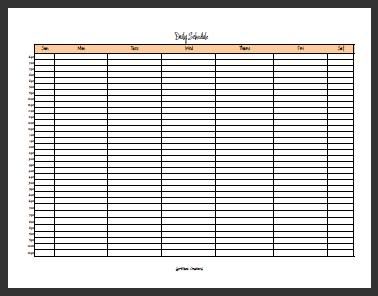
Are you wanting to start planning now, too? I'm doing a twitter contest to give away three home-made planning forms. They are: A Daily Schedule, a Yearly Unit Study or Year-at-a-Glance Planner, and an Annual Evaluation Form for the student. Every tenth person that tweets the below statement will win a set of forms for free!

@sprittibee is giving away 3 free planner forms for 2009-10 to every 10th RT. http://bit.ly/xNjNN #homeschool #teacher

You know you want'em!


Subscribe to Sprittibee by Email

Buzz Words: , , , , , , , , , , , , , , , , , ,

February 19, 2009

Stuff You Need to Check Out

Today is all about cleaning out my bookmarks that I've been saving up for you. Not much else going on around here except being pregnant. Yesterday's high-point was playing with the white-balance and exposure on my camera so I could get a picture of the cat and my swollen feet. Big fun. That was before the hormonal meltdown that ended with me scrubbing baseboards, vacuuming the upstairs, rotating laundry, and cleaning out my daughter's closet. I guess I'm not so helpless after all, since I'm still pregnant today after all that "over-doing-it". I've got about 4 weeks, 5 days, 8 hours, 26 minutes, and 32 seconds left until induction... but who's counting?

Trying to keep my mind off of the Viking king who's constantly battling it out with my ribs and focus on my to-do list instead. One of those to-dos includes cleaning off the computer and cleaning out the email box. So you get to benefit!

Aside from these worksheets, forms, quizzes and templates that every homeschool mom should have on their bookmark list, I have a few other links that might be of interest for you mom-bloggers, homeschooling mamas, blog designer wanna-bes, and BlogHer queens:


Ever wanted Photoshop and couldn't afford it? I think that's about 80% of the problem with us wanna-be designer folks... we just can't afford the tools even though we have the desire. Well, if you are a homeschool mom (teacher), a student, or a college kid - you can get a super discount on software. Check out this particular deal from Gradware.com - a whopping $699.01 off the original price of the software (click the software image for more info). Now THAT is a discount. You can find other deals on software if you look around, too. Another great company to check out is Academic Superstore. They always have deals on the computer tools a homeschool mama (and wanna-be designer type) needs.


Did you know you can nominate your favorite 'Her' Blogger of the week? If you notice that a blog has BlogHer ads on the sidebar and you fall in love with a post, a photo, a video, or just the blogger herself - you can submit her to the contest (once a week!). Then she gets one of those cool blue ribbons for her site as a token of your affection. How sweet. Click the ribbon to nominate someone!


Google is doing an annual contest to allow students to draw their logo (click the logo for more info). They have a cute and informative video on their website explaining why they do the contest and what they expect students to benefit from participating. They welcome homeschool participants if you register with them. The deadline for registration is in early March, and the artwork must be sent in by mid-to-late March, so don't miss your window! Browse through some of their past winner's artwork and see some of Google's artistic ideas while you are at it. Even if you don't win - this project seems really fun!


Looking for a break from the dull science textbooks? Do a project! We joined up with Journey North this year and counted butterflies before sending out a packet with hand-colored butterfly artwork to Mexican students. The Monarch overwinters in Mexico each year and the Mexican school children love getting our artwork. They send us back a butterfly and some Spanish greetings and Journey North keeps us informed by emailing links to awesome videos and scientific migration updates. The link above (click the photo) is a cool FREE online video you can watch about the big migration for these papery, fragile creatures. It is just amazing to see God's creativity in action!


I found out about a cool free software you can download that boasts at being the best Bible software out there. You can't beat FREE. Check out Bible Explorer online.

Have fun surfing.


In Him,
Heather


Subscribe to Sprittibee by Email

Buzz Words: , , , , , , , , ,

November 06, 2008

U.S. Geography Project: State Notebooks

statebooks

Ever wanted to do a USA States and Regions unit study or just learn about the states with your kids throughout the year - and keep track of what you are learning? Being a 3-ring binder nut, the obvious answer for me was a "State Book". Here below are some ideas and supplies that you might want to take note of if you make your own state books:

WHAT WE USED:

* 3-ring binders

* dividers for the regions (New England, Mid Atlantic, Great Lakes, Midwest, Rocky Mountains, West Coast (we included Hawaii and Alaska here, too), Southwest, and Southern)

* blank paper for making a cover

* clear sheet protectors (for letters, photos, postcards)

* divider pockets (for anything we collect that won't hole-punch well)

* clear transparency paper (for making map overlays: rivers, regions, mountain ranges, explorer pathways, timezones, famous places, state parks - etc)

* a printed black and white map to go under your overlays

* a nice laminated color map (already hole punched - you can get at Wal-Mart)

* stickers (you can get state flag stickers, state seals, state birds and animals, state trees and flowers, stars to place on your worksheets if you have been to that state... etc)

* markers, pens, pencils and a hole punch

statebooks2

SOME IDEAS

Here are a few things you can keep in your state books...

* maps and overlays (see above)

* a picture (whether by sticker or your own artwork) of each state's seal and flag (we're going to use stickers after I can find some at a decent price)

* an outline map of the USA with only the states you have been to colored in

* State Review worksheets (pictured here - I made my own)

* worksheets or articles on animals that you would find in the states/regions

* sketches of animals your children have drawn during their studies (we've been sketching animals that are found in each state right on our State Review worksheets - see above for an example)

* a blank sheet of paper for them to record books on that are related to the states in each region: (for example: The Cricket in Times Square - New York)

* blank sheet protectors for sending Flat Stanley letters or postcards to people in different states (and keeping their photos and return mail in)

* journal assignments or stories that are related to the states, or photo album pages if you have been on a trip there

* state park maps and brochures and memorabilia from your travels

* state postage stamps (my worksheets have a place for this)

* collages and lapbooking type pages - or writing assignments about state history

* a section on the Civil War (including a map overlay)

* electoral college map (include government and politics in your books!)

* agriculture information (for example: Where do certain grains, fruits, and vegetables grow? You could do an overlay or color a printed map for that. Have the kids map out where beef and dairy products come from.)

* demographical maps could be interesting, too - and population information


In conclusion, you can make these your own timeless school projects that live on through the years with your children. They can be as creative as you want, or as simple as you want. These books might never be "complete", as they can always be added to. They will surely be a treasure on your bookshelf, though... even after the kids are older, they will enjoy looking back at all they learned and collected.


Subscribe to Sprittibee by Email

Buzz Words: , , , , , , , , , , , , , , , , , , , , , , , , , , ,

September 15, 2008

2008-9 Year-at-a-Glance Unit Study Planner


I'm all about killing more than one bird with a single stone, baby. So here's my second Memoirs and my PDF post I've been planning, all rolled in to one.

Here they are... the plans for our school year - all in a neat 2008-9 PDF school year calendar. This is the basic overview of what we'll be working on as the days progress. I cut some holidays short so we could take nearly a month off around the time of the baby's delivery. Other than that, it is business as usual and we're just trying to work as hard as we can to keep up with the plans!

I've included two links here. One is my personal calendar with holidays, events, vacation, and all the unit studies we plan to do this year... and the other is a BLANK UNIT STUDY PLANNER for 2008-9 (just because I love you). Feel free to borrow it. Please do not reproduce or sell it. If you use it, I'd also love a tip in the jar - we need choir fees and used book money! No donation too small!

For those of you too busy to look at my lovely administrative masterpiece, here's the breakdown of the KONOS units we plan to cover in 2008-9:

States & Regions loose ends and leftovers...
Rocky Mountains
West Coast
Southwest States
Southern States
Texas
Seasons - Fall
Civil War
Reverent Behavior
Hymns
Service & Etiquette
Town & Community
Wisdom General
Safety
Deception, Illusion
India
Choices
Church Architecture
Cathedrals
Seasons - Spring
Weather
Pottery
Sculpture
Plant & Animal Classification
Garden & Plant Growth
Seasons - Summer
Nutrition, Rest, Exercise, Fun
Bees
Family & Church
Honesty General
Books

We'll probably be starting next year off with Body Systems. But I'll have slept since then - so who knows. I change my mind like I change sweaters. I've already tweaked my schedule for the week since I wrote that post about it last week, too. I like to keep my kids on their toes!


Subscribe to Sprittibee by Email

Buzz Words: , , , , , , , , , , , , , , , , , , , ,

May 12, 2008

Texan in Detroit

detroit_sm

It was brief, but I was able to snap off a few photos as we curled through downtown "Motor City" and made our way back out towards Ohio. These are just a few of the photos from the morning of Day 4 of our crazy cross-country trip to Michigan for Robofest. Of course, if you haven't been following - you can catch up at the links below. We took these photos on the morning of April 27th before heading to the Dixons' home. Every good trip needs at least one blogger to meet along the way, right?

What did I think of Detroit? It is hard to say. I was really surprised by how poor the freeway conditions were. The potholes and rough roads were awful. In Texas, it doesn't snow often, so we have much more smooth roadways in the major cities. Seems like the snow plow and salting does as much damage as good. As for a downtown area, it was interesting, but not very clean. I saw a 'used and rare book' building but wasn't about to get out of the car to go in! We got lost in a bad area and I had to FORCE my mom to let me get out to buy postcards. She wouldn't let me get out downtown to ride the monorail, though... so you only see the one photo of it up there - the one I took as we drove under the station! I would feel much safer in downtown Dallas, Houston, or Austin than I would in Detroit. I am not sure if that is just because I'm FROM Texas and familiar with Texas, or if it is because there truly is a reason to want to stay in the car. I don't know? What do you think Michiganites?

Today we start our homeschool States and Regions Unit with KONOS. We're beginning with the New England states. I'm glad that we have some memories and photos of the states we passed through to add to our state notebooks as we learn. I think we'll be done with this unit at the end of August. If you want to print a PDF of our state schedule and follow along, be our guest! I might post a few links as we find them.

Quick Links
Trip Dashboard
Goodbye
Day 1 of our Robofest Trip (Texarkana)
Burritos for Peace Program
Day 2 of our Robofest Trip (White Line Fever)
Day 2 & 3 of our Robofest Trip (Down Home on the Farm)
Day 2 of our Robofest Trip (too many states for 1 day)
Day 2 of our Robofest Trip (LaGrange, KY)
Day 3 of our Robofest Trip (Robot Competitions)
Day 4 of our Robofest Trip (Swap Present Pick-up)


Subscribe to Sprittibee by Email

Buzz Words: , , , , , , , , , , ,

March 16, 2008

My Own Personalized Planner Pages


tinyplanner


I have had this little graphic on my desktop since January. Shows you how "ahead of the game" I am with blogging 'to-do-list', eh? I was sooo proud of myself when I created these little dandies. I figured that with my new black ink cartridges only costing me 9$, printing my own personalized calendar inserts would save me money. Not only that, but making them myself finally give me the ability to customize my planner to fit my needs as a homeschool mom.

My favorite planners have the "week at a glance" when open on your desk. I like room to keep notes about my day so that I can create my endlessly long Christmas letter that all my friends and family members dread every year. What spam does to email boxes, my Christmas letter does to IRL (in real life) mailboxes each holiday! Merry Christmas!

So... my new and improved planner pages include Mon-Wed on one page with a bonus "notes" section, and Thurs-Sun on page 2. Each day includes a menu box for breakfast, lunch, and dinner... because that's what being a mom is all about - nourishing your kids, right? It also has a TO-DO-LIST section, a Journal Section (where I keep aforementioned notes about our day), and appointment times in case I get really organized one day and use them. I also included a "Teacher Reminder" section specifically for homeschooling - where I might put our most important list item on the school assignment sheet, a note to remind myself to buy supplies, a co-op friend's phone number, a field trip idea for our group, a reminder about the library, etc.

My favorite part of the page (besides the handy menu) is my BIRTHDAY and TO GO area. It's in yellow (highlighted) so I will remember to get my cards in the mail (I love snail mail and am a greeting card junkie). The TO GO spot is for the day's main events (because without the reminder I would certainly NOT show up). That's where I list our field trips, dentist appointments, lunch dates, or other out-of-the-house appointments that can't be missed. Before, I was keeping them inside the list of to-do items for the day and sometimes overlooked them. I tried using little stars and highlighters, but couldn't keep up with the mess. Now I have a spot to put them on the paper where I will be sure to look - and it is bright and colorful so I won't miss it!

This project wasn't really that hard if you have basic 'Office' skills. I think this file is created in Excel. If you have a lot of time on your hands you could even type the pages in as you go and print them fully loaded with your info so you wouldn't have to write it in by hand. I'm not there yet. Maybe one day!

I used to do custom forms for people on the side for money now and then for homeschooling, but haven't in a long while. I enjoy stuff like this. I make home made worksheets for the kids all the time... spelling and vocabulary lists, handwriting sheets, geography quizzes, etc. The computer is an awesome tool if you learn how to use it. I think it is essential to teach computer skills to today's kids.

Now if only I could remember to get my items on the list checked off so I wouldn't have to carry them over to the next week all the time?! Sometimes it is necessary to spend less time making lists and more time doing what needs to be done!


Subscribe to Sprittibee by Email

Buzz Words: , , , , , , , , , , , , , , , , ,

January 30, 2008

My Big-FAT Homeschool Links List

I decided that I needed to put my links in one place and categorize them by subject/purpose - this will make them easier to find and more useful to YOU and ME. I have a lot of these on my sidebar, but I wanted to get my links in one place before I do any redesigning of my site. I use a lot of these for my own homeschooling and others have been passed on to me through homeschool friends, online groups, or co-ops. There are so many to pick from - too much to look at in one sitting... so take your time and bookmark this post.

I will be updating it and adding all my past links that I have blogged about which are not on the sidebars here. I will also be adding links as I get them via email. If I do a large update, I will post a notice and link back here to let you know. Otherwise, check back here every now and then and I'm sure you'll find that I have added one or two more favorites.

If you would like to share a link with me, please email me at longhorn dot bee at gmail dot com (dots are periods, at is the @ symbol, remove all spaces)!

Enjoy!

MY BIG-FAT HOMESCHOOL LINKS LIST


Lessons and Resources
Teach-nology (Lesson Plans and Printables Galore)
Learning Page (free lessons, instructional materials, etc.)
Furious Shepherd (Insane Amount of Homeschool Links)
Enchanted Learning
Lesson Plan Library (Discovery)
eThemes Topical Teacher Resources
BBC Schools (GREAT Science interactives)!
Free Federal Resources for Education
Pratt's Educational Resources (Themes)
Teacher's Favorite Links
Schoolastic Lesson Plans
Professor Noggin's Card Games
Dr. Labush's Links to Learning
Crosswalk Homeschool Resource Directory
A-Z Home’s Cool Homeschool Links
A to Z Teacher Stuff
A to Z Kid Stuff
Pete's Power Point Station
Homeschooling Adventures (Subject Links)
DLTK-Kids Printables, Etc.


Reading, Books and Book Lists
My Amazon Bookstore
Wowio: Ebooks
Studydog (Free Reading Program: K-2nd)
Summer Reading Lists By Grade
Book Report PDF Files from Edhelper
Better Book Reports
Locate a Library Book on WorldCAT
Alibris: Buy Old, New & Out of Print Books
International Children’s Library
Classical Book List
Book Adventure Program
Librivox: Free E-books
Project Gutenberg
Dolch Kit (Reading Problems)
Bartleby (literature research)


Geography & History
Shepherd Software: Geography Games
Netstate State Information Site
History Scribe (also has church history/geography)
Diana Waring History
School History: Free Lesson Plans
Geography Dictionary
Westward Ho! (Virtual Wagon Train)
Virtual Field Trip Maker
Compassion International Sponsorship Program
Flat Stanley Idea Page
National Geographic Geography Bee
Outline Maps
Map Library
Timeline Helps


Writing, Grammar, Penmanship
Frustrated Writer Brain Pop Video
MES English (create your own worksheets)
Webster's Kid Dictionary
Free Language Curriculum
Book Report PDF Files from Edhelper
Create your own Newsletter or Brochure Online
Adverbs on the Internet (tricksy adverbses!)


Math
Homeschool Math
MATH HELP: Times Tables Tips
Downloadable Grid Paper
Math U See Drill Page
Math U See Placement Tests
Multiplication Lapbook
TLS Books Free Worksheets
Multiplication Worksheets
Multiplication Practice Worksheets (nice site!)


Grading and Tests
Free Diagnostic Placement Test
Discovery Education: Rubrics
More Rubrics and Evaluation Tools
Teach-nology: Even more Rubrics
Texas Essential Knowledge and Skills by Grade (TEKS) - Public School Requirements
Free Taas/TAKS Printable Tests & Answer Keys
TAKS standardized tests from Texas Schools by grade level (printable or online quizzes)
Math U See Placement Tests


Computer, Software, Typing, Photography
10 Cent Photo Prints (First 20 Free) @ York Photo
Picasa Free Photo Editing Software
TyperShark Game (play online)
Goodsearch (browse while you give to your favorite charity)
FastStone Image Viewer Photo Editing Software
Free Digital Photography Lessons @ iLearn


Bible, Character, Chores
Answers in Genesis
Creation Science Evangelism
Raising Godly Tomatoes: Practical and Scriptural Parenting Advice
Scripture Memory System
Accountable Kids Program (teaching accountability)
The Birds and the Bees: Talking with Your Kids About Sex
Biblical Wall Charts & Timelines
Bible Verse of the Day
Celebrating Biblical Holidays Resources
Doorposts
VisionForum
Keepers: Christian Alternative to Boy Scouts or Girl Scouts
7 Daily Rungs... by Holy Experience
Over 300 Bible Lessons
Handipoints: Fun Online Chore Charts
Goodseed: PDF Bible Lessons (Tabernacle)
My Utmost For His Highest (devos - older kids)
Does God Exist? (apologia - older kids)
Living Proof (Beth Moore) (devos - older girls)
Biblegateway.com (look up scripture by keyword or verse)
KLOVE Radio (listen while you homeschool)
KSBJ Radio (listen while you homeschool)
Christ throughout the Bible
Dayspring E-cards (be an encourager)
Case Against Evolution Book List (apologia - older kids)
Creation Illustrated (Christian based - similar to National Geographic)
The Way of the Master
E-Sword (free study software)
E-Bible Teacher
Ed's Collection of Bible Sites
Sunday School Place
Online Parallel Bible
Presidential Prayer Team
Presidential Prayer Team 4 Kids


Foreign Language
BBC Free Language Courses


Homeschool Methods
Classical Christian Homeschooling
Homeschool Curriculum Reviews


Teacher/Household, Forms & Helps
Homeschool Planner Set-Up Instructions
Costumes for Unit Studies by Jessica Hulcy (KONOS Author)
Teacher Created Resources - Free PDF Calendars, etc.
Super Teacher Worksheets
Donna Young: Homeschool & Household Forms
The Homeschool Mom (free planner/menu pages)
Creative Homemaking (organization, menu & more)
Homeschool IDs
Ideas and Printables
Creative Classroom Cooking (free cooking unit study)
30 Day Gourmet (freezer cooking)
FREE Teacher Resources (lots of links - some may be old)
Crown Trophy (medals, trophies, pins...)
Ideas to Spice Up Your Homeschooling
Highland Heritage Forms: More Printable Forms
Oklahoma Homeschool Forms (not just for OK)
Create a PDF Calendar
Homeschool Freebies/Costcutters
Homeschool Helper Online: Record Keeping Forms
Chart Jungle Printables
Resources for Homeschoolers (forms and planners)
Denim Jumpers (Everything Homeschooling!)


Info About Homeschooling
National Home Education Research Institute


Encouragement/Funnies
Tim Hawkins Homeschool Video (To Adams Family Tune!)
Homeschool Blog Awards (meet, learn, share, swap)
101 Reasons to Homeschool Your Kids
Silly IQ Test


Science, Nature, Technology
Texas Master Naturalist Program
BBC Schools (GREAT Science interactives)!
Green Hour (get out and discover nature!)
Making a Nature Journal
Edheads - Simple Machines
Cow’s Eye Dissection Online
Time Capsule (personal history project)
Natural Egg Dyes


Lapbooking
Lapbook Pictures
Lapbook How-To Video
Lapbook Lessons


Texas
Taffie: Texas Support Group/Co-Op List by Area
Texas Home Educators
Pick-Your-Own TX Farms


Spelling & Vocabulary
Free 6th-8th Spelling Course
Word Game Boards
Free Crossword Puzzle-maker
Another Crossword Puzzle-maker
Vocabulary K-12 Site
Spelling Time (not free!)
Making Vocabulary Fun
Spelling Ideas PDF


Art
Elementary Art Lesson Plans
GeeArt - Animated Art Program (history/elements)
Crayola.com (contests, coloring sheet printables, craft ideas)
Eggshell Mosaics
Family Fun
Canon Creative Park (artsy project ideas)
Recycling Crafts by Product
Kids Domain Crafts
Masterpiece Art Instruction
The Papier Mache Resource


Curriculum Resale
Vegsource Swap Board
Homeschool Auctions
This Little Piggy Stays Home
Yahoo Curricula Sale Search
Freecycle (find one in your local area)
HSLDA Curriculum Market


Music
Sing n' Learn


Curriculum, Magazines, Stores
Konos Charachter Curriculum
What's Covered by Konos?
Knowledge Factory Homeschool Catalog
The Old Schoolhouse Magazine
Heart of the Matter (online magazine)
Academic Superstore


Sports and Health
Kidnetic


P.S. Let me know if you find a broken link! I'll fix it or remove it!

P.S.S. More is on the way soon! I just need some time to sit down and get this done... and with homeschooling, housekeeping, paperwork and a weekend trip out of town coming up... time is just not available!


Subscribe to Sprittibee by Email

Buzz Words: , , , , , , , ,

September 08, 2007

KONOS Yearly Planner PDF and a Personality Profile


ksched-image 

 I made this file for myself so that I could type out my annual KONOS plans in a little more detail than I have it on my blog. I thought I would share the love with all of you unit study moms out there. I hope that if you use it, you will leave me a donation in the tip jar. As with all of the great tools for homeschooling, someone put a lot of effort and personal time in to creating them. I also am available to help make detailed forms for anyone who wants something special (for a reasonable fee).

This form is an overview of the unit study topics you will cover per week for the entire school year. It begins in August and ends in July of 2007. I'm filling mine out and putting it in my homeschool binder today (I color coded my vacation and holidays and typed in my units on the one I use... see the photo for details - if you have a magnifying glass handy!).

Another great link I would like to offer (in case some of you are as slow as I am and haven't seen it already) is a "Mothering Style" online quiz that you can take to identify your personality type. At a recent co-op meeting I attended, our gracious hostess took the time to give us this quiz and share some insights from the book it came from. The quiz is a small version of The Myers-Briggs Type Indicator®. The book's promoters claims that knowing your 'Mothering Style' can help you find out what makes you tick... how to improve your relationship with your husband and children... how you can recharge your energy through the day, and what types of activities to avoid if you are stressed out.

I am using this day to get up to date on my planning and organizing for school (which fits my type of 'Mothering Style' and energizes me according to the quiz). I'm sure that if I get my ducks in a row before tomorrow and get ready for Monday, our week will be off to a much smoother start. Hope you enjoy the rest of your weekend!


Subscribe to Sprittibee by Email

Buzz Words: , , , , , , , , , , , , , , , , , , , , ,

April 17, 2007

Updated KONOS Unit Planner and Upcoming School Plans

PDF Planning Printout
I updated my unit planner to include a four-week calendar and some extra sections. I used it yesterday to map out our Ships and Floating unit per the KONOS Volume 1 Book. Please be advised, however, that if you CLICK on it... and it doesn't come up at first... it is probably because TOO MANY people have tried in the past hour. Try again later and you'll eventually get to see it. You can download it if you like (you must use Adobe Reader or a compatible PDF reader). Just please drop a tip in the jar if you do. I'll be forever grateful! Eventually I plan to get an entire plethora of PDF pages posted to the blog. Maybe after this June's re-design for my 2nd blogiversary?

Fluid Field Trips
The kiddos and I are excited to get to go on some boat-ish field trips in the next week. We are visiting a historical ship, a boat race, a marina, a river-boat, and building a model boat to float on a pond. At least those are the plans right now. I think this unit will take less than two full weeks if we play our cards right and stick to the tasks at hand. We might even go fishing with friends this Friday (which has a little to do with floating, right? Or rather, sinking). Maybe we will learn the art of picking good skipping rocks while we are fishing. I used to love skipping rocks across the water as a kid.

Putting the Ship Back on Course
After all the hullabaloo of the Homeschool Blog Awards, my hubby has reminded me of a few simple, but important facts. Here's what he said, and I quote to you: "Heather, you are a Christian first, a wife second, a TEACHER third, ...and THEN you are a blogger." Wow. How profound is that?! I suppose everyone around here was feeling a bit overlooked during the nominations and voting process for HSBA! Time to get back to my first three duties and put blogging on the back-burner.

Diving Deep into the Archives
So... in case you wanted some good reading, I'll encourage you to check out my archives for some meaty morsels:
Why I Homeschool
Homeschooling - Starting Out
Sprittibee's Homeschool Series (my homeschool records catalogue)
Field Trip Foto Friday: Bolivar Lighthouse
Field Trip Foto Friday: Houston Ship Channel Tour
Field Trip Foto Friday: Galveston Beach

Sailing the Seven Seas
..or you could wander over to the Homeschool Blog Awards and check out the nominees' and the winners' sites. Hopefully I'll have a PAGE up for the 2006 Nominees as soon as I can get around to finding some spare time in which to engross myself with mindnumbing HTML code. Until then, check out the link to the 2006 Nominee post... or the link to the 2006 Winners. I am sure at least one of the blog-stars has something more interesting to talk about than PDF files, floating field trips and putting first things first.

I saw a thousand fearful wracks:
A thousand men that fishes gnaw'd upon:
Wedges of gold, great anchors, heaps of pearl,
Inestimable stones, unvalued jewels,
All scatter'd in the bottom of the sea.
Some lay in dead men's skulls; and in those holes
Where eyes did once inhabit there were crept,
As 'twere in scorn of eyes, reflecting gems,
That woo'd the slimy bottom of the deep,
And mock'd the dead bones that lay scatter'd by.
~ William Shakespeare
Sea you later, sailor!


Buzz Words: , , , , , , , , , , , , , , , , , , , , , , , , ,

January 15, 2007

*Create Your Own* FREE Blank Calendar

I get a lot of hits from people looking for free calendars. I have given out many links to printable calendar templates over the year and a half that I've been blogging. I am a calendar and list junkie. That makes it all the more ironic that I never really began using MS Outlook's task and calendar functions. Recently I have decided to give it a try.

If you have a copy of MS Office, you can easily set up your Outlook mail program to keep track of email contact's birthdays (if you enter their birthday in the contact area, it will automatically update your calendar with it). You can use Outlook to keep track of addresses for contacts, tasks you need to get done (complete with reminders and the option of making them reoccurring), all of your important appointments, schedule items (homeschool schedule?!), and even a journal!

I recently discovered that you can print your own day planner pages from Outlook as well. You can print them WITH your information or you can print a blank calendar - it is all up to you!

Here are the instructions I discovered online for printing a blank calendar:

You can quickly print a blank calendar in Outlook using the steps below:

Within Outlook, click the File menu, point to New, and click Folder.
Type in a name for the folder.
Click Calendar Items from the Folder contains list.
Click Calendar under Select where to place the folder.
Click OK.
Highlight your new folder from the Folder list.
From the File menu, click Print.
Under the Print Style, select the type of calendar you want to print.
Select the start and end date under the Print range.
Click OK.


To print your marked calendar (already has scheduled tasks and appointments), you would simply do the following:

Click your Calendar menu within Outlook in the left sidebar
Click File, and Print.
A box will pop up allowing you to choose the style of your calendar and it will allow you to pick what dates to print, how many copies you want to print, how you want the pages collated, and more.
If you select the Page Setup button on this box, you can further choose the layout, the times you want on your day, if you want 1 or 2 pages per day/week/month, the font and shading, etc.
You can also preview the page if you click Print Preview in this view.
It allows you to select a header and footer as well - and you can include your tasks and notes by just clicking a button.

In the end, you are able to print a highly customized day planner page with your tasks, birthdays, holidays and appointments already written out for you. How cool is that?!?!?

Now if I could get my copy to print the active tasks instead of those already crossed off... it would be perfect. I'm still working on that bug, and downloaded the free Windows Office 2007 Calendar Assistant... so I'll come back in and give you a preview of my calendar page once I get it ironed out!


Buzz Words: , , , , , , , , , , , , , , , , , , ,

September 07, 2006

Attentiveness: Ears/Sound/Music & 5 Senses Links!

* Updated with more links! 10-18-06

First of all, the title of this post is the Unit Study we are working on right now. If you are just joining me, or for more about the curriculum we use, you can visit their website or read up about past adventures we have had. Below are links we have discovered over the past few weeks of school (some were shared with us by friends doing our same unit). We are a bit behind schedule due to excessive field trips and daddy's work schedule leaving us less school days each week... so we have a few weeks left on this unit yet. I may come in to add a few more links later. If you have any related links to share, by all means, leave them in the comments section so the kids and I can check them out.

On a side-note, I just wanted to say that we were gone all day yesterday on a field trip to visit a blind lady and see her interesting gadgets that help her tell time, mail library books on tape, label her medicines in Braille, label her clothes with color initials so she can "match" and walk around (cane). The kids enjoyed listening to her and asking her questions. We also walked with a post-man to deliver some letters, had lunch in the park, played on the playground, and had the most educational field trip of the year at an eye-doctor's office (with our co-op). We were gone from noon to five-thirty! Then I had to come home and cook enchiladas (recipe to be posted later today on my other blog). We had a great day, even if we only did a fraction of our "seat work" and other schoolwork.

Today is a full school day, so I had better run. I just wanted to post to make sure you don't think I had forgotten about the blog entirely. I was just too tired to get to it last night.

LINKS:

General Attentiveness

Highlights for Kids Interactive "Hidden Picture" Game (Attentiveness General)

Simon Says Online (Attentiveness General)

Attentiveness Bible/Scripture & General Links (wonderful!)

Nice Article on Spiritual Attentiveness

* Great audio stories/info about Attentiveness for elementary kids by Character First


Ears-Sound/Eyes-Seeing & 5 Senses

Interactive Ear

Five Senses PDF Worksheets

Brain Pop Five Senses Animated Videos (15 Day trail) - they have Woodwind Instruments, Sound, Hearing, Ears, and all the senses (plus much more) - very cool site.

Video of "Ear Tube" surgery

Teacher PDF Resource Pack for Teaching about the Ear/Hearing (great diagram!)

Ed Helper Five Senses worksheets/ideas

Find out your Hearing Curve

Interesting facts about hearing loss due to age and exposure to intense sound levels (has nice ear pictorial)

* Learn Sign Language visually with short videos online!

* Watch a video online of dissecting a cow's eye!

* Create your own KONOS Sound vocabulary words crossword puzzle to print.

* Sound Quest


Music/Orchestra/Composers

Classics for Kids

Mozart Link

Orchestra Link (listen to the instruments!)

* Create your own KONOS Music Vocabulary Crossword to print.

Jazz Roots

PBS Jazz for Kids! Way cool, cat!

You can't study Jazz without the Reading Rainbow reading of "Mama Don't Allow" by Thacher Hurd!


Buzz Words: , , , , , , , , , , , , , , , , , , , , , , , , , , ,
 

Disclosure

Some posts on this blog contain affiliate links or sponsored links. I receive a small commission whenever a product is purchased through an affiliate link. Sponsored links are paid for by a company who wishes to improve their Google ranking, but I always check to make sure these are reputable sites and never allow any links that are questionable to be placed.

The links in my "Sweet Linkage" section are either sponsored links or personal links that I find interesting (including the links to the blogs that both of my teen children run).

I occasionally run ads on my blog in exchange for money or traded advertising, or receive products in exchange for a review or giveaway posts. I also participate in campaigns by brands that offer to pay me to write about their products after using them. Any post that is sponsored will be noted as such. All opinions expressed on Sprittibee.com are my own, and any review, give-away, sponsored post, graphic ad, or product that I mention or link to are ones that I believe are reputable and worthy companies.

Stats

blog design:

blog archives