Showing posts sorted by relevance for query photography. Sort by date Show all posts

May 30, 2012

iPhone Camera vs. DSLR

Shoot for the moon. Even if you miss, you'll land among the stars. ~Les Brown

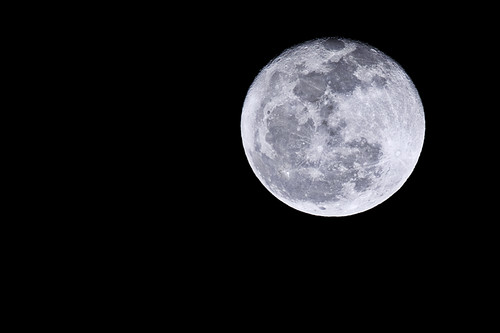
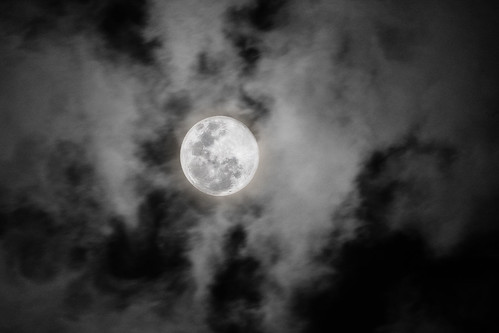
I pretty much have a camera attached to me at all times. If not the DSLR, I take the iPhone everywhere. Sometimes the iPhone is enough. Other times... like when the Super Moon stopped by recently, I was painfully aware of the major differences between the iPhone camera and my Canon 40D.

For example:

The MOON on iPhone...

Houston Supermoon - times when you wish you had taken the DSLR...

The MOON on Canon 40D...

Moon River
(photo by bananaking on flickr)

Big difference, eh? Yeah. So there are some things that you can't do unless you spring for the big guns. Depending on what lenses you add to your big gun, you can do amazing things - awesome things.

I have had a couple of years to learn that even my "big gun" (40D) isn't big enough to do a lot of things I want to do.Renting the 5D Mark II a few times to do professional photography assignments (including the two weeks I used it for my church photo directory) really showed me some limits that I had with my already high end DSLR. I have quite a few photog buddies who already have this camera and have showed me some differences between the Mark II and mine which make what I love doing - conference and portrait photography - a lot easier. Spending time with Mr. Mark II was enough to push me over the edge. And so, I have decided to take my photography to the next level... even as painful as purchasing the next big gun might be (with plastic - and I hate using plastic, trust me; I'm trying to get out of debt).

Because...

Here's the moon on 5D Mark II...

She Stands Alone
(photo by claytonkaras.com on flickr)

So I'm going to have to sell my Canon 40D. Even though both of my children are sure to whine about it. I have to help pay for this crazy move somehow. [I may be forcing my kids to sell lemonade all summer. #justkidding, #sortof]

You interested in upgrading to a Canon 40D from your fixed lens point and shoot (like the iPhone)? I've got one that's looking for a good home. She'll be coming to you without lenses (keeping those for the Mark II), but with 2 batteries, a cord for computer upload, a box and manual... and a lot of great memories. [You can get a cheap 50 mm Canon lens for 100$ new at your local photography shop.]

Email me if you are interested!

October 01, 2007

Fall Five Kodak Printer Give-Away

Kodak EasyShare 5300Who doesn't love a great printer? We all need them. They are a necessity in this computer-aged world. Kodak's EasyShare 5300 is a "jewel in a vast field of rocks" as far as printers go. I have one sitting on my desk and have been playing with it for a few days now... and I absolutely love it!

On of its many desirable features is the 4x6 photo paper tray. You can even print photos directly from your camera WITHOUT your PC on. We have been printing digital prints on it this weekend and they are amazingly clear! My camera is only a 5mpx, so this made me really happy. It also has a scanner (which I used to scan my black and white photo below). I'm impressed with the quality (I blew that photo up huge from the size of a tiny negative).

Kodak claims that your photo prints will only cost 14 cents a piece using this printer (cheaper than most photo developers - even when they are running sales!). How do they do it? CHEAP INK. While you may pay more for a Kodak printer, you will make it up on the ink refills (black is only 9.99$ and color is 14.99$). You just can't top that!

So now that you know about this superb printer, how would you like to WIN one for free? Usually I have easy give-aways, but this time I'm going to make you do a little work. The Kodak team wants to see how you use your photos for school projects... so we have agreed to run a contest to get your creative juices flowing for fall.

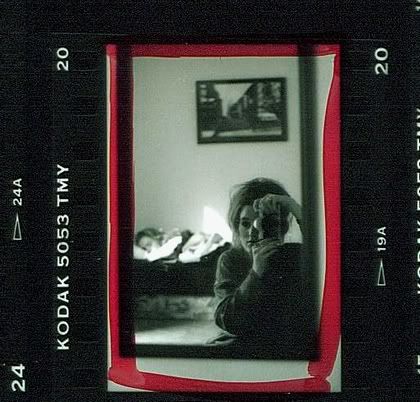
I've always been a photo-nut. I started taking pictures in my teens and my love of photography blossomed in college during my first semester. I took a black-and-white photography class that fanned the flame into a fire. If my parents could have afforded all the expensive equipment, I would have gotten a degree in photography. This photo is of me and my first good camera:


Digital cameras may be more convenient, but I miss having my pictures in my hands to flip through and put in albums. I have many years worth of photos on my PC that could be wiped clean with one bolt of lightning. I am going to use my Kodak EasyShare to print them all out in case of a computer disaster (those happen frequently for most people). I can't wait to get scrapping, projecting and photo-booking. Thanks to Kodak it is now affordable and I don't have to wait for a sale at Walgreens!

Below are the project choices and contest rules for winning a free Kodak EasyShare 5300 (All-in-One Printer):

Rules

1. If you have school aged kids, PLEASE do this project with your kids. Allow them to help in taking the photos and making the craft.

2. If you are a student, over 18, or don't have kids you may still participate.

3. If you are a teacher and would like to do this for a classroom of kids rather than just your own kids, by all means, do it!

4. You must blog a post about your project with photos of the results.

5. You must link the post back to this post and mention the title of this contest in your post.

6. You must leave a comment in this post with your hyperlink for your entry.

7. You must hyperlink this Kodak EasyShare 5300 link in your post.

Here's a quick hyperlinked phrase you can cut and paste into your entry post that will get you qualified (feel free to write your own if you don't want to use mine):

"I'm entering the Fall Five Kodak Printer Give-Away at Sprittibee's Blog. Kodak and Sprittibee are giving away an EasyShare 5300 printer!"

8. The contest will end at midnight on Oct. 15th! That gives you two weeks! The winner will be announced on October 16th!

Five Project Choices for your Entry:

1. Create a Photo Family Tree with your kids. Can be 2-D or 3-D. Use your imagination. Use photos from your digital camera that you print on your printer at home.

2. Do a photo project entitled "What I Love". Kids can take pictures of their favorite things. Learn a little about photography as you go (take unusual angle shots, macros, etc.). Make a collage or photo book of your results.

3. Do a photo project entitled "My Town" or "My Neighborhood". Drive around and shoot some photos of things you enjoy about your town. Make a few scrapbook or lapbook pages and journal on them. Do some computer research on the history of your town and take pictures of the skyline or architecture in your area. Write a story to go with it or captions on your photos. Be creative.

4. Do a photo journalism project for your school (or homeschool). Write an article using your own photos. Tell about your class, a typical day there, your classmates, your teacher, a field trip, or write a newsletter about events going on at your school. You can do this on paper and scan it as a graphic in your post, or you can do it as a blog post entirely.

5. Fall Photos Project - capture the change of the seasons. Go through all your photos and find pictures of the fall. Use magazines to cut out pictures that remind you of fall's colors and make a photo collage. Paint a picture and scan it. Make a photo collage from shots you take in your town that speak of fall.

All of these are ideas to get you started - not exact descriptions of the project. You don't have to follow them exactly. One rule that is mandatory is to capture your project on your blog so that we can experience it with you.

Have fun and I hope you win the printer! It truly is a good printer - and a great investment if you do a lot of printing on a thin budget. Don't wait to win one if you want it that bad! Go buy one from Kodak at the link provided!

Happy Fall, Y'all!!!


Subscribe to Sprittibee by Email

Buzz Words: , , , , , , , , , , , , ,

April 24, 2008

Her Sanity Or Her End?

Sprittibee is having a wonderful time on her road trip and wishes she could be here to post her news herself. She sent me these gorgeous photos of her drive today. Below you will see the park where she and her family ate lunch at, just outside of Texarkana, TX.


As many of you know she also enjoys the hobby of photography and captured these wonderful shots showing her hand and eye at Depth of Field.


Depth of Field is when you focus in one one object while the rest of the photo is slightly blurred. You can learn more about photography with me and our other fellow photographers on Foto Fridays at Homeschool Blog Awards.


Here we have Morgan, which from what I've heard is behaving wonderfully. I'm not sure I'd be as happy sitting for as long. Tomorrow they will be in the car for 14.5 hours. I wonder if we should pray for her sanity or her rear end. What do you think? ;O)


Subscribe to Sprittibee by Email

Buzz Words: , , , , , , , , , ,

June 23, 2009

Free Wedding Photography and Happily Ever After


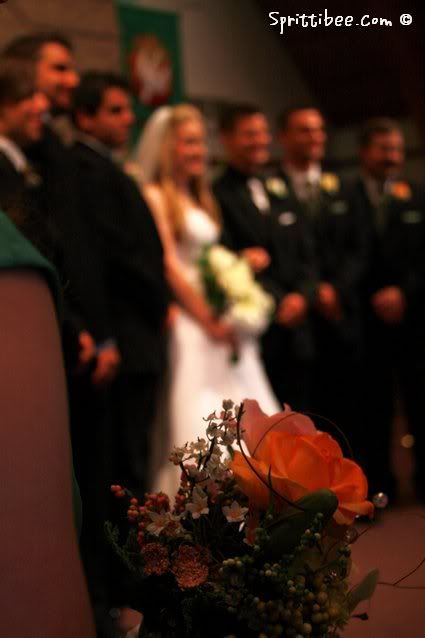
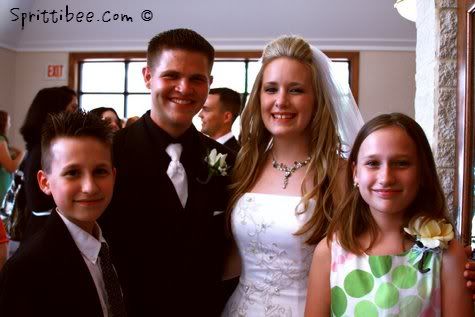
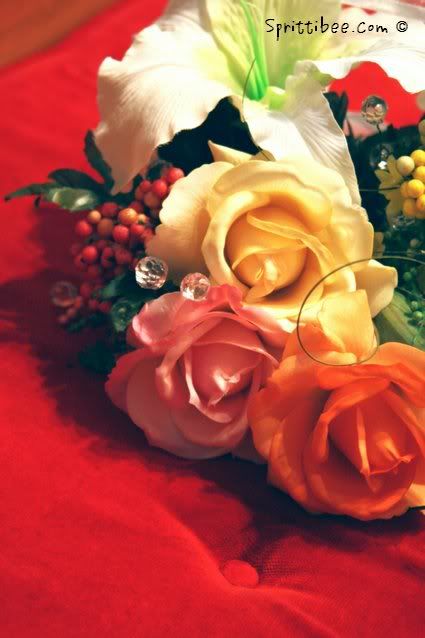
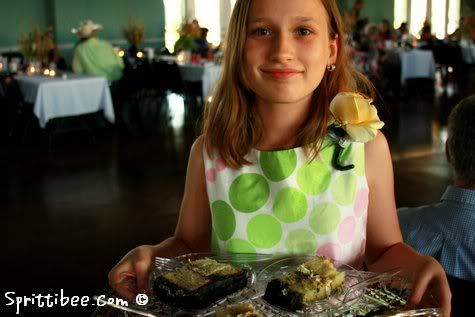
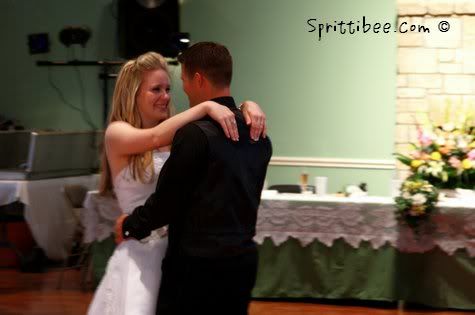
Cousin Kristen tied the knot this weekend. She looked like an angel. Of course, she didn't have to try hard, because she truly is one of the sweetest people I have ever met. I love being invited to weddings... especially weddings of those whom I know well enough to not appear crazy for taking photos. Because I am going to take photos. Just sayin'.


Kristen never stopped smiling yesterday. I took over 400 pictures and never caught her without a glow and a shiny smile. I loved seeing her and her sweetheart - now husband - steal glances at each other. The other hundred or two hundred people might as well have not even been there. Good thing she was busy being in love - so I wouldn't look so much like a stalker as I followed her around snapping pictures.


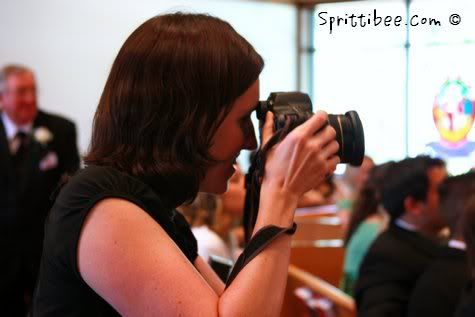
Unfortunately her wedding photographers noticed me. I pestered them as much as I could with questions and followed them like a lost puppy. One of them was using the same camera I have, but they had a lot of fun gear to go along with it. Expensive lenses, flashes, hoods and other neat camera gadgets. They are lucky that I didn't ruin their tools with my drool.


It was fun taking pictures. Even if I wasn't the one Kristen hired to do the job. I'm going to retouch some of the pictures and print them for her as a belated wedding gift. That's what I call a steal of a deal... free wedding photography. Which of course takes all the pressure off of me and makes taking the pictures enjoyable - because I'm not responsible if they don't all come out fantastic. Which all of them didn't. Blame it on the lens.


But I got a few that I think she'll love. When she comes down off of cloud nine, that is. I'm sure none of her wedding photos will compare with the memories she's making this week. I'm soooo happy for them.


I think you'll agree that they make a happy couple. That gleam in their eyes is Jesus. What a great way to start off a life together: best friends that have a heart for the Lord.

Makes me all misty eyed. I glanced at my sweetheart as Kristen walked down the aisle, too. Can't believe that seventeen years has gone by since we met and fell in love. For us, the Jesus part came later.


Funny how love gets sweeter as you get older (if you are best friends and are trying to serve the Lord and each other). We aren't 20 any more - though that was certainly a fun time. We might have a bit more to be preoccupied with (kids tend to add a little more responsibility and take a little more time away from what you have to give each day). I can see the worn lines of shared experiences in our faces. We have made a life together. Christ has multiplied that life in our children. We have lived our 'I do's' daily now for nearly two decades. I'm thankful that I see the same depth of conviction and commitment between Kristen and her man as I have with mine. One day they will finish each others' sentences, too.


Kristen's was a fairy-tale wedding.


It was worth carrying the baby and the Canon around at the same time... so I could share in the dance and capture the feeling with my camera. I hope Kristen and Buddy share a life of joyful photographic moments together. If they ever need a free photographer for future wonderful events, I'm their gal. May they weather the storms well and live happily ever after.


P.S. Want to see her cake? Go check out my food link. I'm posting a picture of it with a short story about it on Gathering Manna.

Subscribe to Sprittibee by Email

Buzz Words: , , , , , ,

June 14, 2008

Photography Link and Weekend Update


Go check out my post at the HSBA on photography while I play some blog hookey! We are enjoying visiting with friends we haven't seen in a year. I am not sure if I'll ever get my kids back on a regular schedule after last week off. The summer bug has bit.

Sorry for being absent from the blog. I've been...

- welcoming friends home
- visiting with blog buddies traveling through town
- dealing with insurance and dentist issues for Kaden's broken tooth
- going on a date night to eat Persian food
- watering the garden

Those things are very important, indeed.

See you Monday!


Subscribe to Sprittibee by Email

Buzz Words: , , , , , , , , , ,

May 01, 2009

Bokeh


Another picture post. I know I can never stay on any one topic for long... that's why I can't label this blog as a 'homeschool blog' or a 'parenting blog' or a 'photography blog' or a ... (you get the picture). It is all those things and more. It is all about my passions... the things that interest and inspire me. Photography is one of my 'favorites'. I have a lot of favorites. Have you noticed?

Some of you are scratching your heads... "Bokeh??? What in tarnation is Bokeh??" Others of you are photographic pros out there and know exactly how wonderful bokeh is.

To give you an idea of what Bokeh can do to a picture, here are a few in my photographic bokeh pool at Flickr:


Bokeh is the blurred part of the image... the background that fades out and isn't in focus. It is supposed to pop the focus of the photograph out and direct your eyes to what is IN FOCUS. It helps to tell the story better. It adds an artsy flair to your pictures. It makes a subject seem to stand out in a surreal and timeless manner. It is one of my very, very favorite photographic techniques of all time. I just HEART me some bokeh!

So that's why I'm writing this post... to tell you about the 'i heart faces' bokeh give-away. Not because I want you to enter. By all means, you can leave that for me! I'd really, really love to win the Alien Skin Software they are giving away! But because if I don't tell you about it, I can't earn myself another chance at winning. And Lord knows I needed another thing to do before bed-time and between my insanely short breastfeeding sessions... ya know?!

So please, DON'T enter their contest. But DO look through my flickr photo-stream and leave me some comments! I heart comments as much as 'i heart faces'... and I heart bokeh. Hopefully I'll be hearting me some Alien Skin Software after I win this thing.


Subscribe to Sprittibee by Email

Buzz Words: , , , , , , ,

November 23, 2008

I love... F.... (otos, lickr, un, amily, avorites)

mosaic9874713-sm

I think I've mentioned that I'm addicted to flickr and photography. I see you nodding your head and rolling your eyes....

Well, the Homeschool Post had another one of those meme thingies... and they were asking me to list a bunch of favorite sites and all that jazz. I'd rather list favorite THINGS (through photography, of course).

So here are some of my favorites:

SPRITTIBEE'S FAVORITE THINGS (as pictured above)

1. the color orange (and lizards).... Lula by m4de
2. photography.... Bieka, A Very Old Camera by Fernando Delfini
3. homeschooling.... Jaymi - Learning by CrzysChick
4. breakfast tacos.... Migas breakfast taco by Homesick Texan
5. my kids.... spectators by SprittiBee
6. Jesus.... concepcion-jesus by SprittiBee
7. poppies... Poppies by SprittiBee
8. cats... Video on Flickr? I SAY NO! by by fofurasfelinas
9. cuteness... Reminder to self: Slow Down on the Caffeine by Flipped Out
10. spicy foods... chilli flower by omnia
11. blogging... workspace1 by OK Creative
12. being held by my beloved... Déclaration d'Amour by Telzey

Yep. Those are some wonderful things that make my heart go pitter-patter. You can make your own flickr mosaic, too - it doesn't require a lot of talent... just some time. It's fun.


... and to play fair with the other Homeschool Post memers, here are some links:
My Blog Index (all my posts sorted by topic) - you can find out a lot of stuff I like in there, I'm sure
My Big Fat Homeschool Link List
My Nature Links and Photos - and poetry, and quotes...
As for favorite blogs... there are plenty to pick from in my sidebars... life is too short to list'em all.

I'm enjoying all this sicky free time catching up on blogging and surfing (although I've spent a record amount of time in flickr today - even for me). Hope you are enjoying your weekend.

Signing off to go get another cough drop...


Sprittibee-siggy (2)

February 05, 2012

Iphone Texas and ALL the Photo Apps You'll Ever Need

Guilty pleasure: #instagram

I have a guilty addiction. In case you don't already know what it is... I'll give you a hint:

It starts with INSTA and it ends with GRAM.

Instagram is like a mobile iphonography club. It is like twitter with photos. Or Facebook without the scary links to everyone in your email box without your permission. Or for you older folks [I'm really dating myself here...] it's like the old party-line phone, you know - the one that you could pick up and listen in on and hear everyone's conversation - and only join in if you wanted to. You follow the people's photo streams that you are interested in... your friends, your family, photographers and strangers. You don't have to comment if you don't want to. Just scroll through your "feed" and double click the photos you love. Comments are optional but treasured.

You can even follow along on the Web at Webstagram. It is much easier to type replies out with your keyboard.

Warning: Iphonography is addictive. [There are even entire blogs about it! Yeah, and my friend Dawn has a great link-up on Fridays called Camera Phone Friday that you can make collages from your weekly photos and share.] Seriously. It is becoming an epidemic.

Love this quote by @joshjohnson (follow him on Instagram)...

iphoneographer revolution by @joshjohnson

The cool thing about Instagram is that it helps you share - and keep a personal record of - your daily life. It's a mobile-phone scrapbook; slices of yourself - the things you see, the things you love, the art you make from the world around you... every day.

And there are SO MANY photography apps for your iPhone that are amazingly helpful at editing your pictures so that they pop. I have taken a photo of a few of my Photography folders on my iPhone for you to see. Below the graphic are some tips on each app that I own...
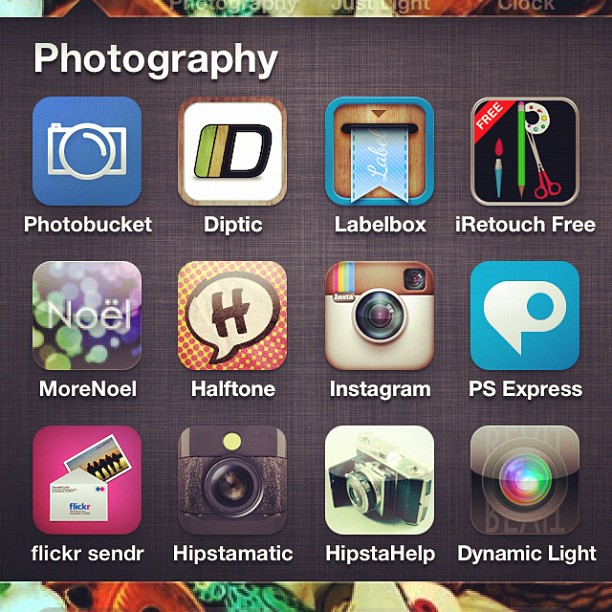
Sharing my photography app addiction. #instagram #instadaily #apps #retouching #filters #editing #photoart

Photobucket: I don't really use this app any more because I use Flickr for most of my photos now. I'm trying to move away from having multiple accounts for graphics.
Diptic: This little collage app is the best way to make tiny collages out of your photos. You can add up to 4 pictures in to a collage and pick the layout and size of the rectangles or squares. It allows you to change the border colors and round the edges as well.
Labelbox: Neat little tool to add tape or ribbon to your photos and type on them. This is one that I got early on, but I don't use it as much any more. I purchased one today called Phonto that allows you to add text (and some others of mine allow it, too) - upon recommendation from one of my favorite Instagrammers: @Texaschica (follow her - she posts awesome pix and she's a homeschool mom)!
iRetouch: I got this one in the early stages of my iphoneography addiction, and it has a lot of editing tools similar to PS Express, but to me, it is just a duplicate application now - since I found others that do the same thing and are more enjoyable.
More Noel: Fun app to add bubbles of light or stars and shine to a photo. You'll need to start with a good photograph that has high contrast or dark color, or it will wash the picture out.
Halftone: Turns your photos in to comic strips with spots for you to fill in the date or journal a bit about them.
Instagram: community photo site where you can follow/block/like pictures by others. Great place to share your photos you take of daily life. You can take part in monthly challenges or tag friends and grow your talent as you practice and "gain new eyes" for the world around you. The program has quite a few filters - black and white, a 70's look, a bit of texture, a brownish filter called Earlybird, etc. You can take photos and alter them in Instagram and not have to edit them elsewhere if you want. If you are a casual user, it has plenty of bells and whistles. When you finish with your picture, you can hashtag it to be included in group pools (like a Flickr group, but for Instagrammers), you can save it to your phone, you can tag others in your description and it will send them a message, AND it will automatically upload to Flickr, Twitter, and Facebook - depending on what you select! It is the easiest, fastest, and "coolest" way to get your phone pictures uploaded to your Flickr account.
PS Express: Photoshop's little iPhone App. It has some neat filtering tools - and if you want to pay nearly 5$, you can get the image smoothing feature ("reduce noise") that takes the digital-looking edge off of your mobile pictures. I have seen some edits using this feature and they are amazing. I didn't want to purchase the full pay app, so I use the free version. You can edit exposure, saturation, tint, contrast, make a black and white, crop, sharpen, soft focus (blur), create a sketch, add a border, or do a quick color effect like 'vibrant', 'pop' (think Andy Worhol), or my favorite: 'Vignette Blur'. This was my first app for photos and I don't use it as much as I used to, but I do think it is worth it - especially if you are serious and buy the paid version so you can "reduce noise".
Flickr Sendr: No explanation needed. Upload your mobile pictures straight to your Flickr account and tag them - easy peasy. I use this for photos that I do not want cropped (rectangular photos are cropped to squares by Instagram).
Hipstamatic: This is an awesome app if you like to tinker with 'off the hip' shots. It has a 'pretend' camera and allows you to pick the lens type and film type and then you take photos from inside the app and it gives you the result. I have gotten some cool effects from the app, but I like to have more control over the photo and didn't have time to really play with it enough to gain the control I wanted. I purchased the manual for the app, but didn't want to waste more money for additional film or lenses. If you are bored, this would be a really fun "toy" to play with for those who are addicted to iphonography. I would suggest Photo Forge 2 (see below) if you are interested in this app.
HipstaHelp: The manual for Hipstamatic - which shows you some hacks on how to achieve the coloring and effects you want from the app. I highly recommend buying it if you like Hipstamatic.
Dynamic Light: Really cool set of filters you don't want to be without. It has a wicked HDR 'overcooked' filter. The app auto-edits your image when you open it and allows you to decide if you want to keep it. The little FX button takes you to a world of extra filters to play with. It has a 'Manga' filter, a 'Orton' filter, a vignette, a 'Realistic Skin', and a set of aged photo filters to make your picture look like it came from your grandparent's time gone by. My favorite of those is called 'Calm Print'.


Photo app madness. Some faves. #photoart #editing #filters #retouching #apps #instadaily #instagram #jj #all_shots #febphotoaday

Camera+: This is probably my very favorite editing application. I love it. It has a lightbox where you can pull in more than one photo at a time to work with. It allows you to save to your phone, edit, crop, add borders, use effects (filters), and send to Flickr, Facebook, Twitter, SMS or email. One thing I use often in this app is the adjust feature (you can rotate and flip photos with it easily). I also use the 'Clarity' feature because it sharpens and pops your images in one click. It has smart edits that adjusts for different types of scenarios, too... like 'cloudy', 'portrait', 'scenery', 'night', 'sunset', 'concert', 'food', 'fluorescent', 'shade', 'backlit', and a fake instant 'flash' you can apply. There are four pages of color filters and they are my favorite of any program. I bought the fourth page (they are extra $) because I felt they added to the program. You could get away with just this one app and Instagram in my humble opinion. But I'm addicted to editing, so I had to keep going!
Xiamen (the Red Korean Photo App): I know, you can't understand it! But it is easy to navigate by looking at the universal buttons. My favorite features in Xiamen are the filters and the circular center focus ring feature. You can pick the sharp portion of the photo and have a circular radius of blur that extends from it - making the rest of the photo out of focus and soft (this same feature is in Snapseed). You can alter color and crop from Xiamen, but mind your Korean! I mainly use the filters because they require no foreign language skills. Just click the little magic wand and three scrolling rows FULL of filters appear. There's a nice HDR and some pretty LOMO filters, two really nice antiqued filters that add a little scratchy texture, and it even has a shine effect that makes your subject look like they are emitting rays of light like the sun. I used that on my Christmas tree angel topper this year and loved it. Xiamen has a couple of fake sun flare filters (you can also get this on Big Lens) and fake snow... and some great bokeh lights - in all different sizes and colors. It might take a while to get used to the strange characters, but the filters make it all worth it!
Tilt Shift Gen: I never bought the paid app, so I can't say that it isn't 'all that', but I don't ever use it. It was recommended to me by another instagrammer a long time ago, but I found that I had most of the features I needed in other apps (not worth paying for duplicates). If you know of a reason why I should give it another look, let me know!
Photos: I moved my iPhone photo albums in to this folder - this isn't an App.
Picfx: This one is my "texture" app. It has textures for a 'grunge' look, 'classic' looks like 'Old School' (a fave) and 'Olden'... and a bunch of texture overlays - including one that looks like cardboard and another that looks like peeling paint. For the really artistic, it has 'space' filters to add a galaxy of stars and light to your photos and for the grunge-lover, it has light leaks, sparks, and 'burnt film' looks. Picfx has a slew of great frames if you are making photos for Flickr or blogging that you don't plan to Instagram, however, Instagram might ruin the effect of the borders because it has it's own set of borders (that you can turn on and off). Also, when adding border to a rectangular photo, you have to remember that Instagram will crop the picture.
Pic Collage: Have to admit that I don't use this often. It is more of a non-Instagram app because it layers photos as if you laid them all down on the table. Instagram will crop these off at the edges if you use a bordered filter, so I usually upload straight to Flickr or Facebook if I use it.
FotoLr PS: There's a LOT to this app. It reminds me of a very different version of Camera+. It allows you to create collages and edit photos. The editing is much more detailed in this app than in most others. You can do a 'Quick Edit' by rotating, cropping, sizing, or even doodling on the picture. You can edit the 'Color' by changing the brightness, creating a mosaic, distorting, selective coloring, or using a TON of filters similar to those on both Camera+ and Tilt Shift Gen, and even create symmetry edits that alter the picture to look like a kalidescope or duplicate mirror copy of itself - fun! That's not all. You can edit blemishes, whiten teeth, add lipstick or blush, add fake eyelashes or googly eyeballs! The program allows you to add text also. It has a bunch of frames and additional ones you can download, too. I like their winter snowflake frame. You can also make your photo 'greeting card' or 'e-card' ready by using the "SCENE" feature which adds backdrops and props to your picture based on holiday, card, or classic themes. Beware - this program won't download or upload unless you are on a wireless network. It is too large for 4G. I suspect it takes up some space, too.
PhotoForge 2: Here's another one that has so much to it that I haven't had time to fully explore it. It has one of the most interesting and fun interfaces - your controls are listed as icons in a scrolling bar under your photo and you can zip through them very fast. I would venture to say that PhotoForge 2 probably does as much as all of these apps together if you have the free time to figure it all out and get used to it. I played with it tonight and discovered some new things about it I didn't even know... such as: it mimics Hipstamatic in that it allows you to alter your image with different films and lenses; which is really cool because you don't have to take your image and leave it that way - you start with your previously taken image and add the filters after - much better way to experiment! Sorry for the run-on sentence, but this app is a run-on of endless photo addict fix - I would highly recommend this to the true iphoneographist.
Frame Magic: I got this app when I was trying to figure out how to do rounded corners in my collages - without a border. I ended up going back to Diptic for my needs, so I really don't use this one that often.
PhotoLr CS: I haven't EVER used this app and I suspect that it is something that PhotoLr PS was giving away free one day (I don't like the ads that pop up in there). I played with this tonight and it looked to me like a camera that does zoom and shake. Not something I would use. I only use the Camera in Camera+ or the actual iPhone Camera app.
Snapseed: This is one of my newer apps, but I already have fallen in love with it. It has grunge filters, ways to edit color, spot edits (which I haven't figured out how to use yet), drama edits (tonight the 'Drama' edit on Snapseed was able to help the quality of a low-light photo I took at a restaurant before I instagrammed it), and a nice tilt & shift which is similar to the circular radius that blurs the rest of the photo but your "sweet spot" - however, it is a horizontal or vertical line instead of a circle (you can also do this in Big Lens). It has the center focus (circular blur) as well (also a Big Lens feature). It has drama filters, grunge filters, vintage filters, frames, black and white filters, and other fine tuning options that I just haven't had time to play with. Snapseed is one of the more recommended apps on Instagram, so I suspect if you don't hear it from me, someone else will tell you to get it!
Big Lens: Another new one for me, but a great app! You can selectively add edits to the photo based upon you picking the part of the photo you want to be changed or stay the same. This app allows you to add a bokeh effect and make the picture look as if you used a DSLR lens. It has shaped bokeh - stars and hearts included. Big Lens has some great filters that you won't find elsewhere; my favorite being the solar flares. They look very realistic - like what you would get off of a glass lens. You'll find a variety of filters in this app, too - with warms, colds, lomos, flares, and a neat one called 'fire' that you won't find elsewhere.

I added FOUR new apps to my collection today that aren't listed up there, too: Percolator, Blender, A-HDR, and Phonto. I'm just getting used to them, so maybe I'll review them later!
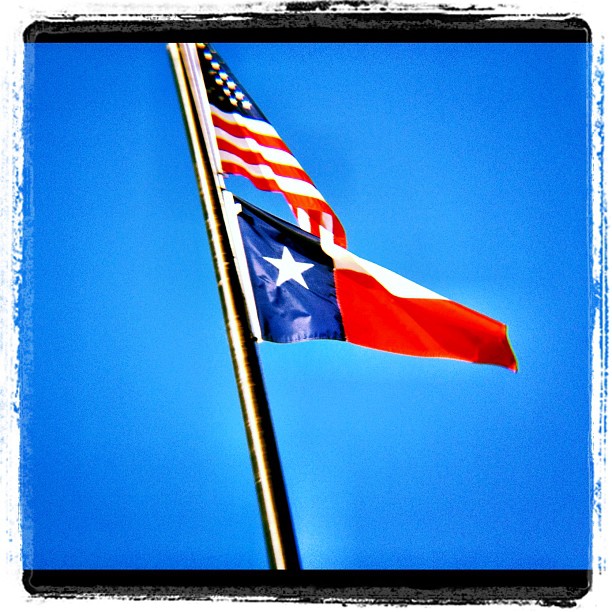
Flags #Texas #usa #America #iphone #blue #sky

I love iphonography so much that I started a new Flickr group today for those of us who love Instagram and our iPhones and are in Texas!

If you are in Texas (or just love Texas - displaced Texans welcome), join the fun at our Flickr Group page: iPhone Texas! Yeeehaw!

You can enter up to 2 iPhone shots a week that are family friendly. I might feature a few of them here with your permission.

You can play along by hashtagging your ig photos as well. All you do is type #iphonetx on your captions when you post photos to Instagram and you'll automagically be entering them in to a searchable pool!

febphotoaday by @fatmumslim

In the mean time, if you are looking for a fun photo project, you might join up with @fatmomslim and take her #Febphotoaday challenge. Today was 'take a picture of a stranger day' and I actually did it!!!

Who Dat? #iphone4s #instagood #instadaily #all_shots #stranger #waiter #neon #greasyspoon #febphotoaday #pink #red #February

My kids think I am the freakiest freak on planet Earth. [Which makes it all worth it, right?]

I can admit that I look kind of strange taking photos of everything under the sun - including strangers. But it is a passion that must be fed.

More iPhoneography, please! I just can't get enough.


Subscribe to Sprittibee by Email

November 07, 2008

Field Trip Foto Friday: Hike and Trails

pinnacletop

I know I've shared quite a few of our Pinnacle Mountain adventures already (see links below)... but this one was unique. Instead of spending all of our time going up the mountain, we also took the to the trails and visited the swampy forest surrounding the base of the Ozark foothill. We took this field trip in the spring of 2007 while my kids were in 3rd and 4th grades. Homeschooling them in Arkansas for a couple of years (while all our family was in Texas) was sometimes lonely, but the natural state offered us so many wonderful field trip opportunities that it was hardly a painful exile.

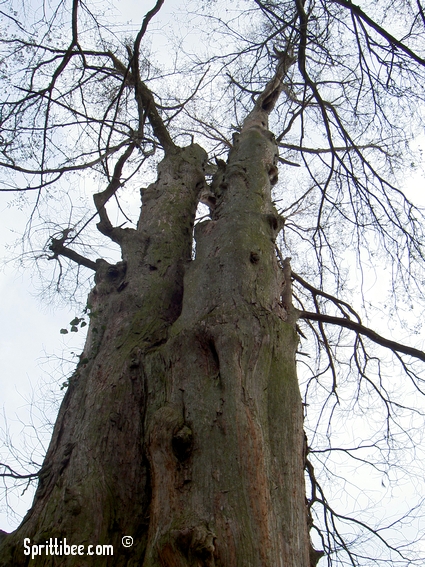
pinnacletrees

Not only did we enjoy our nature walk on this day, we got to share the time with friends who were visiting us from out of state. That is always a treasure when you are far away from home. Familiar field trip spots are brand new when you can look through the eyes of others who haven't seen them before.

pinnaclerocks

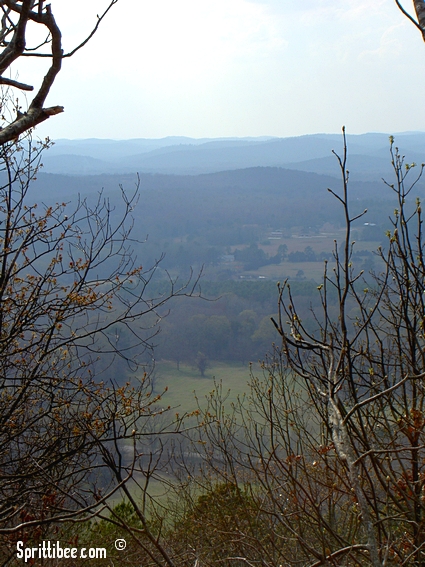
The beauty of this place still haunts me: the jagged rocks, panoramic views, distant purple hills, twisted swamp trees, and moss covered cypress knobs peeking out of the water. It was an area we enjoyed exploring over and over.

pinnacleknob

This root photo was taken by Frankie - who also loves photography. She's a budding artsy-fartsy type and has quite a bit of talent. She likes to borrow my camera when our family and hers get together. Have I ever mentioned that I love to take pictures? Life would be so boring without nature, photography, literature, music and art. Oh, and kids ... and friends ... and food.


pinnacleview

Our kids miss Arkansas and Pinnacle very much. It was one of their favorite places and they would always point it out as we drove over the Arkansas River in to Little Rock. We need to find a good hiking and walking trail somewhere near our current residence that might take the place of this old standard. I'm sure there are plenty to be had - and the terrain here, while different, is just as lovely in its own right.

If you live near Pinnacle Mountain in the heart of Arkansas, make sure you take advantage of this natural treasure! There's a lot of fun to be had on the trails and hilltops of Pinnacle.


Quick Links:
Sprittibee's Homeschool Series (links to other field trips, book lists, etc...)
Pinnacle Mountain Hike
Pinnacle Mountain Rendezvous
Pinnacle Mountain State Park homepage


Subscribe to Sprittibee by Email

Buzz Words: , , , , , , , , , , , , , , , , , , , , , ,

August 29, 2010

Winners, Hiding, and a New Job


This is my ostrich baby. He's shy.

{When he wants to be.}

He's hiding his face in-between his grandma's legs.

What you don't see is that his great uncle is on the couch behind him. He thinks Uncle Joe can't get him or see him if he turns away and hides. So silly.

Note that he has his sister's pink cell phone in his hands. He loves electronics. You best not hand him yours, though - because he'll fight you for it when you try to get it away from him. No joke. His motto is: 'Hand over the cell phone and nobody gets hurt.'

I've been a little like him lately - hiding from my blog. Not because I'm shy - just busy.

Today I scouted out locations for my FIRST portrait client and took some test shots of the kids. It felt good to have my real camera in my hands after a week or two of decluttering projects and insane amounts of email torture. And I watched a few hours worth of Jasmine Star's live photography class on her wedding that she shot yesterday. And we ate greasy fried chicken for lunch with grandma - but that has nothing to do with photography.... or this post.

Then, in my zeal, I came home and bought my photography business domain on Godaddy. Can't tell you until I get my website up (whenever that may be) what the name is.

Wish I could press a button and instantly have a website up. Oh, well - "anything worth having is worth waiting for" right?

That's what I keep telling myself about the Canon 5D MarkII. And the 35mm 1.4 lens. Someday when I'm rich and famous. Heavy on the rich part.

So you really came for the winner announcements, right? Here they are:

THE WINNER OF THE 50$ LISA LEONARD JEWELRY GIFT CERTIFICATE IS:

lisa leonard give away winner

THE WINNER OF THE 200$+ TELL ME MORE ITALIAN SOFTWARE SET IS:

tell me more italian software give away winner

Email me to collect your prizes!

Have a super Sunday!

July 05, 2009

My Blogroll

My spine may never be straight again after hunching over my desk in the dark until 2:28AM to type out this list. I'm not even going to hope that it is complete or updated - even though I typed it just now. I love too many invisible people. I hope you grow to love them, too.

If you are a reader here and would like to join my blogroll page, let me know. If you catch a dead link or a blog that has been shut down on this list (heaven forbid that twitter kills off all my favorite blogs), let me know.

!! Also see my Button Page !! I may have some blogs there that aren't listed here! Especially NEWer blogs or ones I discovered more recently. I love a good blog button!

These aren't in any order, nor are they sorted in any way. I just dumped my old lists and mingled them all together in a lump so I wouldn't lose them. As I get time, I'll come in here and clean this list up. I've been blogging so long that a few of them may lead you to a virtual black hole. You just never can be too sure!

Otherwise, here are 'those that admit to reading my site from time to time' and 'blog gems I have discovered over the years':

The Homeschool Post

Gathering Manna - a recipe blog
Momomimic (my son)
Mees-Alees (my daughter)
Gooblink
My Home Sweet Home
Bunny Trails
Holy Experience
Pollywog Creek
Life with My 3 Boybarians
Robin of Heart of Wisdom
Work of Heart and Soul
Sheila of To Love, Honor, and Vacuum
The Brew*Crew Adventure
From the Rubber Room
Gremlin Wrangler
Kelly of Wisdom Begun
LJC
Wifely Steps
About Homeschooling
Growing in Grace Magazine
Ambleside Classical
Heart of the Matter
Spunky Homeschool
Beth of Pages of Our Life
Smockity Frocks
Renae of Life Nurturing Education
Amy S of Milk & Cookies
Amy B of amybayliss.com
Marsha of Our Homeschool Happenings
Lori
of All You Have to Give
Nikowa of Knowledge House Academy
Mandy of MandyMom.com
Sallie of Everyday Me
Bev of Pufferfish Diaries
Jacque Dixon of Walking Therein
Kellie Ann The Pirate Mom
Simply A Musing
Design Chicky
Antique Mommy
Boo Mama
Big Mama
Simple Mom
Fiddledeedee
Robin of Pensieve
Sister Lisa of Apples of Gold
Like a Warm Cup of Coffee
The Crafty Crow
Why Homeschool
Common Room
Shades of Pink
Jack Lewis
Semicolon
Dana of Principled Discovery
School @ Home
Rhonda Mom of 2
Grown at Home
Floresita
All Sorts
Heather Bailey
A Dollop of Sour Cream
Dandelion Seeds
Funny Movie Reviews
Big White Hat
Veerle's Blog
Ward-O-Matic
Homeschool Buzz's Blogwatch
Farmgirl Fare
Sparkling Adventures in Australia
Like Paper Lanterns
The Curriculum Choice
Smooth Stones Academy
A Dusty Frame
Life in a Shoe
Lil' Duck Duck
Jasmine Star Photography Blog
Biblical Womanhood
Valerie of Homeschooling with Encouragement
Bluebird Blogs
Girl Talk
Owlhaven
Save the Kittens
Rocks in my Dryer
Trivium Academy
Mama Says...
All Sorts
Everyday Mommy
Texas Homeschoolers
The Purl Bee
Robot Jumping Rope
The Savvy Organizer
The Pioneer Woman - Photography
Higher Up and Further In
The Daily Planet
A Pondering Heart
The Milk & Honey Tea Room
On the Road to Manhood
Maiden in Training
Dawn's PhotoBlog
Sweet Juniper - Detroit Photostream
Texas Home Educators
Nesting Place
The Pleated Poppy
My Wooden Spoon
Blogging from the Boonies
A Peaceful Day
My Quivers Full
Joyfully Feminine


Because I know it is bound to have happened, here's your apology ahead of time: "I'm so ashamed that I forgot you. Please forgive me." There. That's out of the way now. Please, let's still be friends anyway!

... not listed up there and want to be? If you comment here and are interested in adding your blog to my list, just let me know (click the contact link above my header).

September 27, 2008

Camera Happy: Summer Memories


We've been discussing the economy and the credit/housing bubble. I have to admit, after years of going virtually credit-card-free (paying with cash or check card only), I broke down last April and got myself a camera. It was right after my son won the regional Robo-championship and we were off to nationals across the USA. Daddy took me to Best Buy and we signed our life away on a nice digital Cannon. I love my camera (but I hate the payment). Thankfully I don't have a lot of credit card debt - but we have our share of school loans, govt. loans (disaster loan from FEMA), and of course the mortgage and car notes. We stopped using credit cards for the most part way back in our last 16 years together. We just haven't been able to shake all of our debt yet.

My mega-zillion photos from last April through today make me feel better about that Best Buy payment each month. Photo memories can't be replaced and will always be treasured. I hope I can pay off the camera quickly, though. Lately I have been considering doing some photography for money on the side. A lovely friend at my retreat last week told me that I wouldn't have a hard time starting my own business. I thought about offering to take pictures for homeschoolers - annual class photos for the school year - but homeschoolers are usually not the type that have money to spare for luxuries. I am too afraid to do a wedding (until I get some more experience under my belt).

Whatever ensues with my camera ideas, at least I have the option to continue making beautiful memories for our family. Here below are a few from April through September of 2008 (my "Summer Essay in Photos" for the HSBA Post's meme):

2008-tiny

From left to right, top to bottom:

May wildflowers
Kaden's smile
Garden harvest
Robo-medals
Back to school breakfast
Robot
Moth in the back yard
Redecorated school room (my desk)
The sweetness (Quaker my cat)
Cool July rainbow clouds
Watermelon on the porch in June
Morgan's Keepers ceremony
Dirty fingers at Aunt Kristie's
Memorial for Bubba in June
Intent gazes - Robofest in Michigan
Aunt Kristie's garden pests and tomatoes
Brother and sister hugs at the Wildflower center
Aunt Amanda and Morgan
15th year anniversary sweethearts
Cousin Ty and Kaden with his missing front toof
Prickly poppy
Purple mermaid on a noodle
Hill country beauty
Competition
Longhorn mole cow

Those are just a few of my photos from this past year (with the exception of the rainbow clouds, which I didn't take). How about you? Do you have a summer photo essay up? It is easy to make a picture collage. Just download Picasa and use the easy collage feature to make your own photo boxes.

I'm off to clean house, get dressed, cook dinner for my cousins, and pay a few bills. Hope your Saturday brings you much joy. The trick to the joy part is just being thankful.


Subscribe to Sprittibee by Email

Buzz Words: , , , , , , , , , , , , ,

May 24, 2009

Camera Blues

1999babies_cr2
Kaden in 1999 - taken with 35mm. Kohen looks like a mix of the kids, no?


I know you are going to laugh at me. But I have to be honest... I have the camera blues. It's not camera ENVY, because I do have a great camera. I'm just unable to use my camera like I want to. I have tried reading the manual. I have tried buying gadgets (like the white balance lens cap). But I'm just not getting the photos I want.

They aren't bad photos. They just aren't ... PERFECT.

That's where the sadness comes in. You see... before I got my 'bigshot' camera (a splurge we made because of a once-in-a-lifetime event my son needed to attend and a cross-country driving trip we had to make)... I had a point and shoot digital. It wasn't the best camera, but many of my blog shots came from that camera and a lot of them are really good quality - despite the lack of tools. One feature that my point and shoot had was a great macro zoom. I was used to just getting down in the weeds with the bugs and snapping their shining little chitinoid faces.

No more.

My Canon 40D has a kit lens. Well, I dunno. Maybe it's a better than kit lens. All I know is that it doesn't take as good of macros as I hoped. And for the money I shelled out for the goods, I should be able to take photos made of GOLD, baby. GOLD; do you hear me?!

It's not just the macro inability, though. It's the bokeh. I want bokeh that makes photographers drool. Soft and seductive bokeh. Amazing bokeh.

And even more. It's the whole light thing.

I bought one of those groovy white balance caps upon Dawn-the-Nikon-Mama's recommendation. I seem to get just as good of results playing with my 40D's automatic white balance presets. The presets have made a difference... but I'm just not THERE yet. Maybe I just don't understand the whole indoor lighting thing as good as I should. Or all those numbers and such. I have "the eye and no brain", as I told Dawn in her comment box this week.

F-stops and all that jazz. Whatever.

I know I got better bokeh and light with my 35mm camera back in the good'ol days of film photography. My old lens was a 2.8 and let in more light. I bought my digital camera thinking my film lens would fit on it. Sadly, it gives me error messages and is a real pain to work with. So I'll have to splurge on a real macro lens if I want to get closer shots.

No macro lens.
No Photoshop.
No Lightroom.

I'm a WYSIWYG photographer. Well, unless you include the free alterations I do in Fast Stone, Picasa or Picnik. I'm no dummy. Free is better than nuthin' baby. Just imagine what I could do if I had the right gear. A girl can dream, can't she?

I'm a photo geek without the tools, baby.

1999babies_cr1
Morgan in 1999 - taken with 35mm. I see baby K in that face.

Hopefully I'll be able to beat these blues one day with a copy of Lightroom, Photoshop, and a Macro lens. I'm sure that day will come. Until then... I'll just keep shooting away and playing with my pictures in Picnik.

In the mean time, if you have a favorite PHOTOBLOG, please share your links. I'm collecting places to waste more of my time online! Because you all know I have nothing better to do as a homeschool mom with a 2 month old in the house, right?!

Love in Him,
Heather


Quick Links
Join my friend Dawn for her 9 Days of NAPP contest
Bokeh
Portraits
Flickr
Displaying your Photos
A Hobby for Heather


Subscribe to Sprittibee by Email

Buzz Words: , , , , , , , , , , , , , ,

October 09, 2010

"My Brain" (Dayplanner... Planner... Control Journal...)


I've had a lot of questions lately about my planning binder. A long time ago I talked about setting up a planning binder for school, but over the years it has changed quite a bit. Some of those earlier binder posts are linked down at the bottom so you can compare if you are a detailed, list-making, analytical sort... but I figured I'd just tell you what I use TODAY. Since those early days I have simplified a lot. I tried keeping everything but the kitchen sink in my binder - and that broke my back. I tried having a separate school binder and personal binder, but that never seemed to work. Too many things to carry and I always had the wrong binder open when I needed to add information. Worst of all, I was using two different calendars - which was WAY too confusing... and balls got dropped.


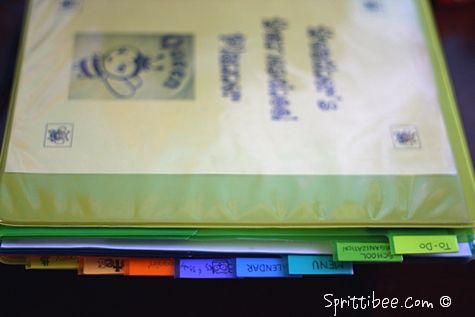
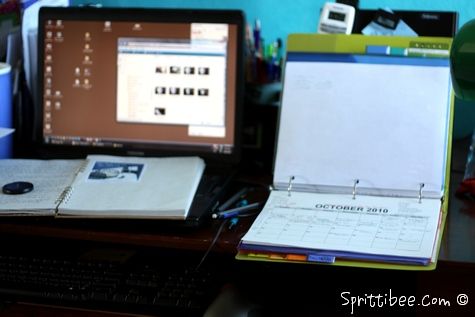
SO, this post is about the 'evolved' version of my homemaking, scheduling, blogging, business and school planner. It's everything in one spot - which is why the kids nicknamed it "Mama's Brain". Fancy that - my brain looks like a 3-Ring Binder... and is lime green, too!


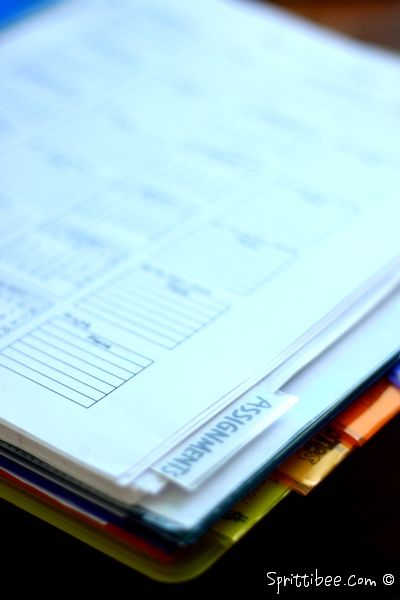
The first thing you'll notice about my binder is that it has tabs (see close up of them in the top photo). I use colored tabs with pockets on both sides - plastic ones that are harder to rip. Inside some of these main tabs are smaller, flat, non-pocket tabs for further dividing.

Here below is my 'Brain' tab structure:

Prayer
- Prayer List
- Resolutions
- Prayer Journal Ideas
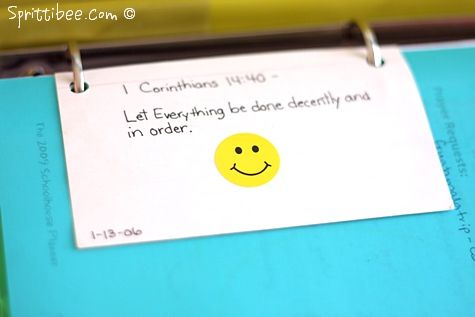
- Back pocket full of notes/scripture cards/Parent's Prayer

TO DO
- Front Pocket full of notes/learning style quiz/tips
- To Do List
- School To Do List
- Reading List
- Dailies/Weeklies/Monthlies
- Back Pocket empty


School Organization
- Rules
- Punishments/Rewards
- Routines for Kids
- Educational Objectives (school year overview)
- Chores
- School Supplies List
- Articles
- TAB: Attendance
- TAB: Schedule
- Yearly Overview Schedule
- Weekly Subject Schedule/Workboxes
- History Overview
- Science Overview
- Teacher Notes
- TAB: Assignments
- Blank forms
- Science Curriculum copies hole punched
- Rubrics

Menu
- Front pocket with week's coupons/product request forms for Grocery Store
- Sheet protector with week's menu
- Pantry inventory
- Back pocket with meal ideas/grocery list forms/recipes for week

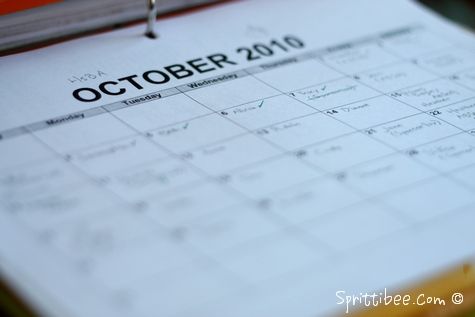
Calendar (see calendar open on desk in photo above)
- Monthly blank calendars (www.calendarlabs.com)
- hole punched items scattered throughout in front of their month (brochures/event clippings/invitations/fliers)

Books
- Book lists for library (has a list of books we want to read and the italic ones are available at the library)
- Reference charts for history timeline and artists
- Notes for book recommendations
- Back pocket with bookmarks


Blogging
- Blog calendar (blank with my notes) for Homeschool Post
- Blog calendar for Sprittibee
- Author list for the Post
- Homeschool Blog Awards notes and info
- To-Do list and post idea notes
- Back pocket with sticky notes, recipes to post on my recipe site, etc

Notes
- Front Pocket with blank sticky notes
- blank notebook paper
- Back pocket with stickers, postcards, stamps

Money
- Photography pricing sheet
- Photography expenses sheet
- spreadsheet for 4 paydays worth of upcoming projected bills

There you have it... my 'Brain' exposed. I'm sure there are things I need to add and probably some things I should remove that I don't use any more.

Examples:
1. Homeschool Tracker keeps track of my homeschool attendance, so I don't use that tab at all.
2. It used to contain a business card section that was really handy for local businesses and I kept an extra library card in there, too. I took it out because I had too many business cards and didn't refer to it that often. I miss having it to refer to, though - especially lately since we've been having so many doctor appointments.
3. I have so many notes about the Relevant conference floating around that it would be handy to put this in my Blogging section under a new tab - maps, brochures, budget, phone numbers and addresses, schedules and agendas, etc.

This is the nitty-gritty current state of my organizational 'Magnum Opus' (masterpiece). This binder is ever-evolving in to something more simple that fits my needs at the moment. How about you? How to you keep on top of the paper trails, things to do and places to be?


Quick Links:
Order of Operations: How I Stay On Top of it All
Homeschool Tracker Software (my record keeping program)
Last year's review of TOS' School Planner
Konos Planning for Dummies
Homeschool Planner Setup


Subscribe to Sprittibee by Email
 

Disclosure

Some posts on this blog contain affiliate links or sponsored links. I receive a small commission whenever a product is purchased through an affiliate link. Sponsored links are paid for by a company who wishes to improve their Google ranking, but I always check to make sure these are reputable sites and never allow any links that are questionable to be placed.
The links in my "Sweet Linkage" section are either sponsored links or personal links that I find interesting (including the links to the blogs that both of my teen children run).

I occasionally run ads on my blog in exchange for money or traded advertising, or receive products in exchange for a review or giveaway posts. I also participate in campaigns by brands that offer to pay me to write about their products after using them. Any post that is sponsored will be noted as such. All opinions expressed on Sprittibee.com are my own, and any review, give-away, sponsored post, graphic ad, or product that I mention or link to are ones that I believe are reputable and worthy companies.

Stats

blog design:

blog archives