Showing posts sorted by date for query photography. Sort by relevance Show all posts

May 30, 2012

iPhone Camera vs. DSLR

Shoot for the moon. Even if you miss, you'll land among the stars. ~Les Brown

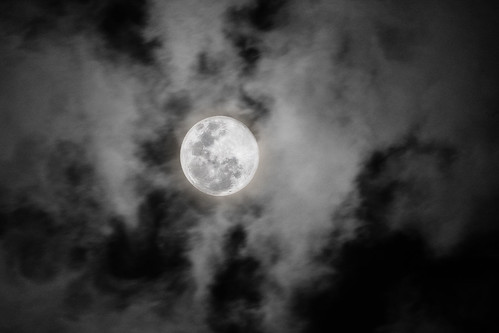
I pretty much have a camera attached to me at all times. If not the DSLR, I take the iPhone everywhere. Sometimes the iPhone is enough. Other times... like when the Super Moon stopped by recently, I was painfully aware of the major differences between the iPhone camera and my Canon 40D.

For example:

The MOON on iPhone...

Houston Supermoon - times when you wish you had taken the DSLR...

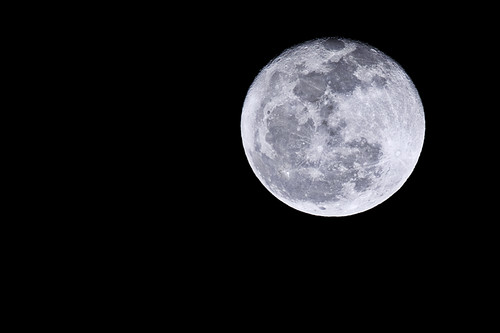
The MOON on Canon 40D...

Moon River
(photo by bananaking on flickr)

Big difference, eh? Yeah. So there are some things that you can't do unless you spring for the big guns. Depending on what lenses you add to your big gun, you can do amazing things - awesome things.

I have had a couple of years to learn that even my "big gun" (40D) isn't big enough to do a lot of things I want to do.Renting the 5D Mark II a few times to do professional photography assignments (including the two weeks I used it for my church photo directory) really showed me some limits that I had with my already high end DSLR. I have quite a few photog buddies who already have this camera and have showed me some differences between the Mark II and mine which make what I love doing - conference and portrait photography - a lot easier. Spending time with Mr. Mark II was enough to push me over the edge. And so, I have decided to take my photography to the next level... even as painful as purchasing the next big gun might be (with plastic - and I hate using plastic, trust me; I'm trying to get out of debt).

Because...

Here's the moon on 5D Mark II...

She Stands Alone
(photo by claytonkaras.com on flickr)

So I'm going to have to sell my Canon 40D. Even though both of my children are sure to whine about it. I have to help pay for this crazy move somehow. [I may be forcing my kids to sell lemonade all summer. #justkidding, #sortof]

You interested in upgrading to a Canon 40D from your fixed lens point and shoot (like the iPhone)? I've got one that's looking for a good home. She'll be coming to you without lenses (keeping those for the Mark II), but with 2 batteries, a cord for computer upload, a box and manual... and a lot of great memories. [You can get a cheap 50 mm Canon lens for 100$ new at your local photography shop.]

Email me if you are interested!

May 12, 2012

A Hallmark Mother's Day

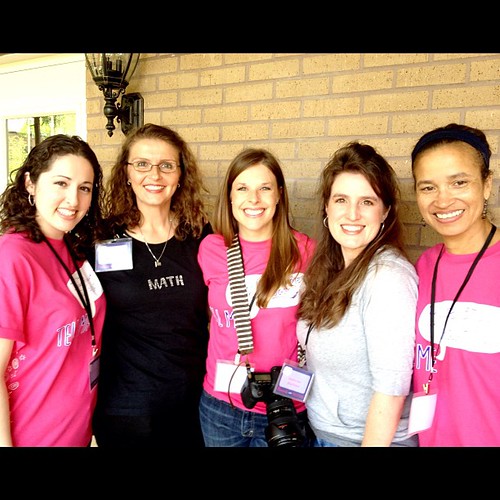
@mathfour and @sprittibee with the groovy #HallmarkTour team in #Austin.

I know that Mother's Day is tomorrow, and that this video is telling you to get your cards in the mail... but my crazy life prevented me from warning you on time. You can hear the chaos in the background. Just listen for the gleefully mischevious toddler and the little "not-happy-unless-I'm-in-mom's-arms" baby. Don't make fun of me for my first vlog attempt, please. I know I look and sound ridiculous on video.


I thought I would share my crazy kids with you for mother's day - and show you the kind of amazing teenage 'tude I'm dealin' with on a regular basis. #pray4me

I so enjoyed meeting up with Hallmark a few weeks ago (I'm a greeting card fanatic). They asked us to send them some quotes and photos before we went, and here's the little slideshow they made for us with them:


The meet-up was part of an effort to get the message out about their "Tell Me" campaign. They shared their newest commercial with us (and made sure we were supplied with a box of tissue on every table):


My buddy Bon who blogs at Math Four and the Homeschool Post drove up from Houston to attend the event with me. Here's a snapshot that their prop photographer took of us while we were busy doing fun exercises with index cards - coming up with captions for greeting cards with the silly photos they brought along.

What are you doing this weekend to celebrate? I've been traveling out of town with two of my kiddos to a homeschool convention in Arlington, Texas and I'm on the way back home to see my mama tonight. She's an amazing lady. I don't know what I'd do without her in my life.

Don't let mother's day pass by without letting someone motherly know how much you appreciate them. Don't have a mama figure? Tell a good friend who you think is a great mom!

Then, don't stop there... think of all the people you love and appreciate all year long and tell them you appreciate them ANY DAY, EVERY DAY. The best greeting cards are sent "for no reason at all" except that you care.

P.S. For those of you who read here regularly, I'm throwing in a little give-away with this post - courtesy of Hallmark. It's a secret as to what the loot will be, but if you leave a comment below and tell me about your mom-figure you would like to honor this mother's day, you'll be entered to win!


Disclosure: Hallmark gave me a ton of cute, glittery, fun greeting cards and some books and a teddy bear, they bought us breakfast and showed us how they do their prop photography (amazing!) - and they were so fun to visit with. I already loved them before they contacted me, so it didn't matter that they gave me cool swag. I would have talked positively about them anyway. So get out there and send some greeting cards already! Snail mail is way better for saying 'I love you' than an email or tweet.

April 09, 2012

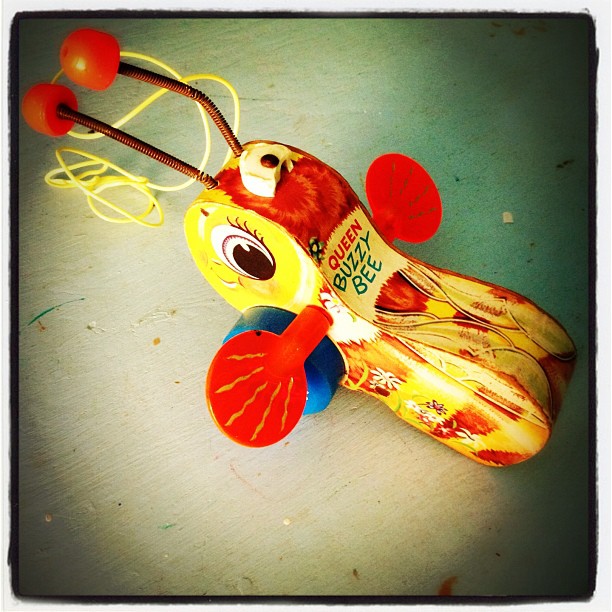
Queen Buzzy Bee's Easter Weekend

Vintage Bee Toy #antique #toy #vintage #bees #old

What does a queen buzzy bee do with her Easter weekend? Well...

First of all, I spent Friday finishing up the Hunger Games third series book with my 13 year old daughter, and went to watch the movie at the theaters. Bedtime came late because we stayed up in anticipation of how the final book ended. We read all three books in two weeks or less - often times in to the night together. They were hard to put down. We liked the books much better than the movie.

The Hunger Games #reading #books

I also weeded the garden... or rather, parts of the back yard - with my eldest. Garden is a bit of an overstatement. Seems all we have growing back there are weeds and huge, flowering stalks of Cilantro that tower over the toddler. It has been fun watching the bees, butterflies, and caterpillars. I've got my eye on a section of the yard that is difficult to get to with the lawn mower because of a granite and rock pathway that cuts it off. I'm thinking of mulching and planting flowers and bushes to remedy the problem. Every time we mow it seems that part gets forgotten and since it has shade, the grass is uneven and patchy there anyway. When I find some time to research native Austin-Area shade-loving plants, I'm going to plan a large flower and shrub bed there. Anyone want to weigh in on some favorites?

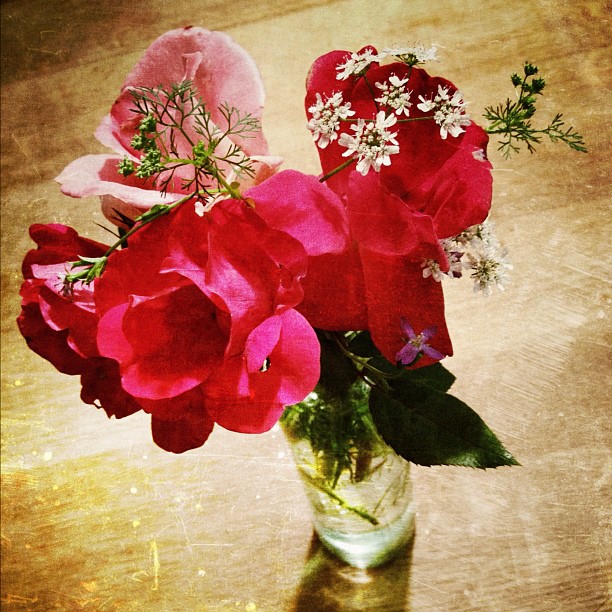
Below in this vase are cilantro (tiny white blooms), a small purple wildflower weed, and the two roses we have in the yard. Daddy cut the red rose bush back this winter and it is exploding right now.

From my back yard... #flowers #pretty

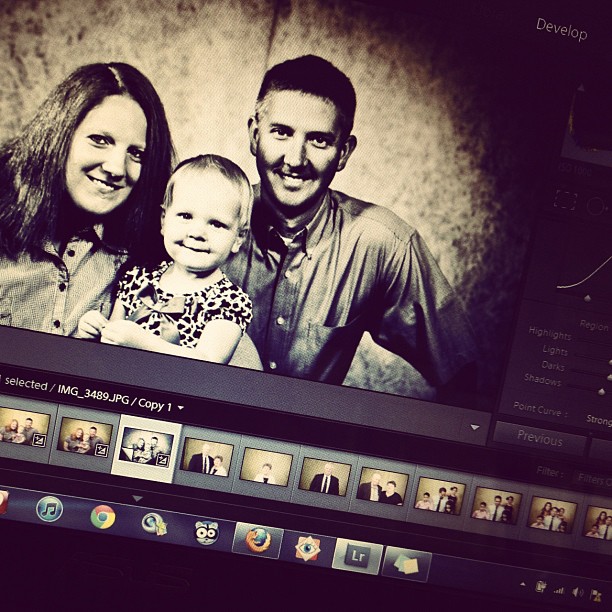
Of course, there were more photos "developed" for the church directory. I wanted to be finished by this weekend, but it has been slower going than I predicted. My eyes and head hurt after staring at the screen for so long, so I have to take breaks. Keeping the kids from getting in trouble if I sit for very long is also a problem... sneaky little monsters!

I've enjoyed learning how to get around in Lightroom through the process of this project, though. I finally think I have it figured out for the most part. I am hoping to be done with this major project by Friday. It will be a huge relief - and I'm sure the elders will be thrilled to move forward with the picture directory.

Next up for "developing" are the bluebonnet pictures I took last Friday!

Developing... #lightroom #photography #pictures

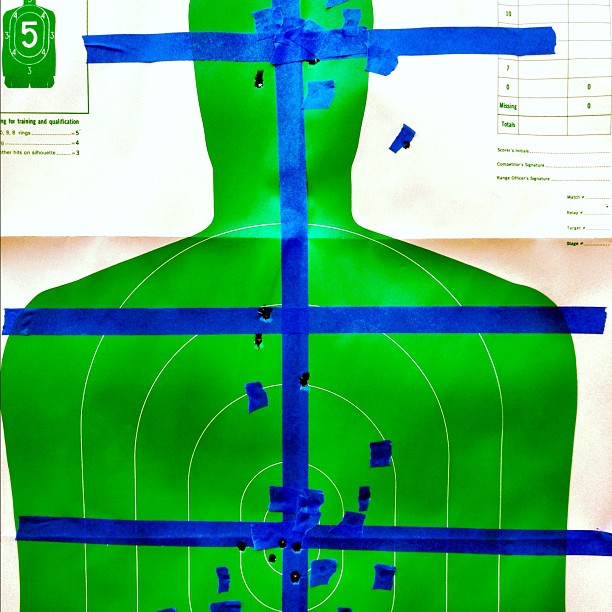
Hubby and I killed a couple of green men on Saturday. My right shoulder is still sore. 51 out of 54 shots is not bad for a first timer. I tried open sight and a really nice scope. I prefer scope, but only because I could see where the bullet went easily with magnification. It didn't make much difference in the result. I seem to be much better at aim with rifles than I am with handguns.

The tape below? Oh, that's just to make it easier to see from 50 and 100 yards away. Every 20 or 30 shots they tape up the green man to cover the previous holes so you can see where your new rounds hit.

The green man is dead.

Then, there was small-town church with family in the country. Big time hospitality and Easter lunch. I may move in with cousin Paige if she promises to make me turkey, dressing, and cranberry sauce once a month. I'm still wishing I had brought home leftovers.

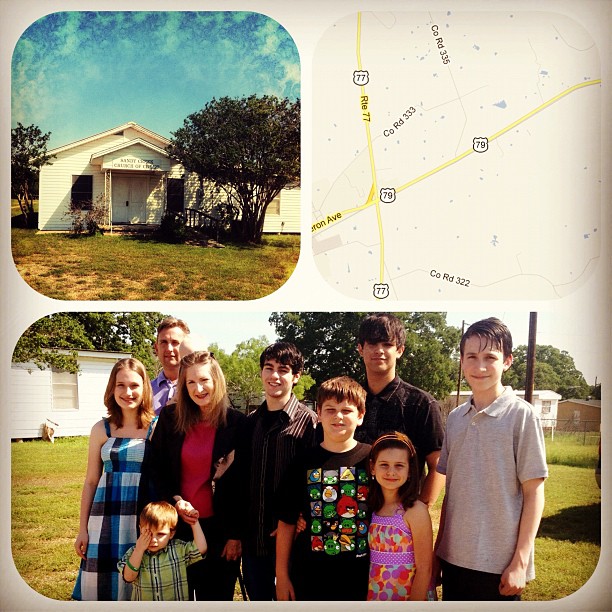
Easter Sunday, small town church with cousins

I also hired a little helper to work on fixing a lot of broken photos and links on my blog. You probably haven't even noticed, but I had two years worth of ancient Geocities-hosted, broken photos from back in 2005-2007 that needed updating. So now, if you are looking back through old field trips and homeschool posts, the photos will magically re-appear. Why might I be doing this, you ask? Well... I'm willing to share the secret: I'm moving to WordPress this month! Finally - after nearly three years of thinking about moving to WordPress... and after nearly two years of owning my own hosting on WordPress... I'm actually doing it.

Let's just hope it happens this month as planned. I'll believe it when I see it. You'll notice when you see it, too. Big hint: the site has been redesigned. Make sure you are surfing in on sprittibee.com and not my blogger url! I've been told it will happen in April... so keep your eyes open!

How about your family... what's going on with you? What did you do over Easter weekend?


Subscribe to Sprittibee by Email

April 04, 2012

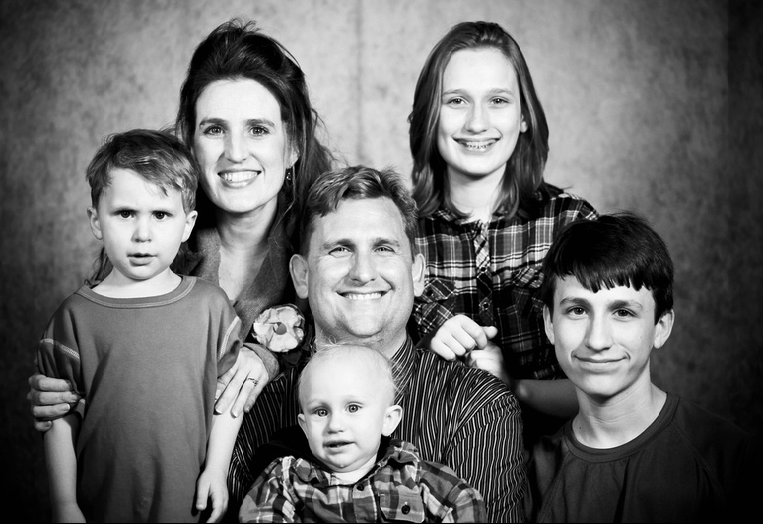
Creating a Church Directory Takes a Lot of Time

beefambw

It has been a long time since I have had any leisurely moments to blog. Aside from homeschooling and being as super-mom as possible, I have also been doing this really BIG project that involves camera equipment, software and LOTS OF TIME.

As if I had time to spare.

First there were two weeks of taking photographs, then there have been two or three weeks of setting up a photography website and editing pictures. I doubt it would have taken that long if it weren't the very first time I rented studio lighting and a backdrop... and if it weren't the very first time I set up a website to sell my pictures... and if it weren't the very first time I had to edit 200 family portraits in Lightroom and upload them to the internet.

It has been slow going ... and riddled with tutorial videos on YouTube.

So... if you are wondering where I am, take a look at those little kids in the photo - and the big kids, too. Between those guys and my 'projects', I'm unlikely to find any leisure time within the near future.

Don't give up on me... I'll be back eventually!

February 22, 2012

The 3 Week Oral Care Healthy Habits Challenge

listerine

I'm a part of the Motherhood... and if you haven't been to one of their informative chats, you are missing out. They bring in bloggers, experts, and all sorts of brand goodness to help moms with just about every imaginable thing they want to learn about. I have participated on pregnancy and motherhood chats and most recently, they invited me to take the LISTERINE® and REACH® Oral Care Challenge.

My dentist says that "you only have to floss the teeth you want to keep"... and as I have gotten older, that stint in the hygenist's chair seems to be getting more and more uncomfortable. I used to make fun of my mom when she said they had to give her laughing gas just to clean her teeth, but now that I'm nearly 40, I'm afraid that flossing is either in my future, or I may be following in her footsteps. Not only that, but one of my kids has had a cavity before (amazingly, it was the one that likes to brush and rinse the most).

With little kids watching us, I also want to make brushing, rinsing and flossing something fun that we do as a habit - so they learn to do the same. [If only I could figure out how to teach the 3 year old to SPIT his toothpaste out!]

Experts say that 50% of children have at least one cavity or filling between the ages of 5 and 9... and that rinsing with Listerine Smart Rinse strengthens kid's teeth 99% better than just brushing. As soon as my toddlers are old enough to rinse (they say not to start until your kids are over 4), I'm going to start them. For now, my big kids are going to take the full challenge, and we are going to just stick to brushing and flossing with the little guys.

Listerine and REACH shared this information with the bloggers at their pre-challenge conference call, and it really is info that should be available for parents:

  • Nearly 75 percent of American adults suffer from various forms of periodontal (gum) disease* and don’t know it.

  • 51 million hours of school are missed each year because of children who have dental problems. [We've used a huge chunk of this million this year in my house alone.]

  • Brushing your teeth alone misses the germs in 76% of your mouth.
  • According to a survey conducted by the makers of LISTERINE® and REACH®, over one-third of Americans don’t eat their favorite foods or smile in photos because of dental problems like cavities, tooth pain and gingivitis.
  • Even sadder, 15 percent don’t kiss their loved ones.


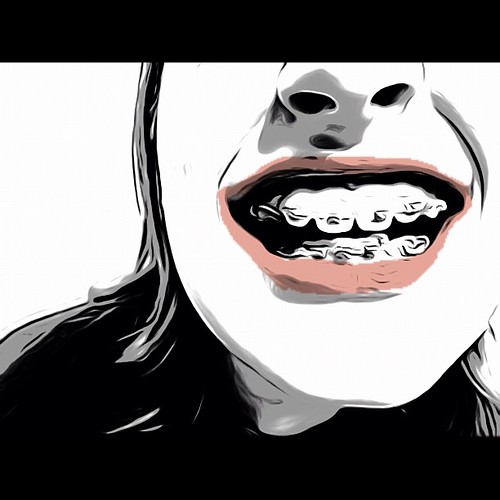
Braces #instadaily #all_shots #toonpaint #teeth

As you all know, teeth are expensive and permanent. My daughter had oral surgery this year to remove 10 teeth (thank God for in-laws to help you afford Maxillofacial surgery). I have TWO teens in braces. You don't have to explain to me how important oral care is.

Here are some resources you can check out that will help you on your oral care journey:

  • To learn more about the American Heart Association’s My Heart. My Life.™ initiative, visit www.MyHeartMyLife.org.
  • To hear more about improving your oral care routine and see an educational message from professional snowboarder Gretchen Bleiler, visit www.Listerine.com. (Coming Soon!)
  • And shop smart for your oral care products at www.Walmart.com.
 
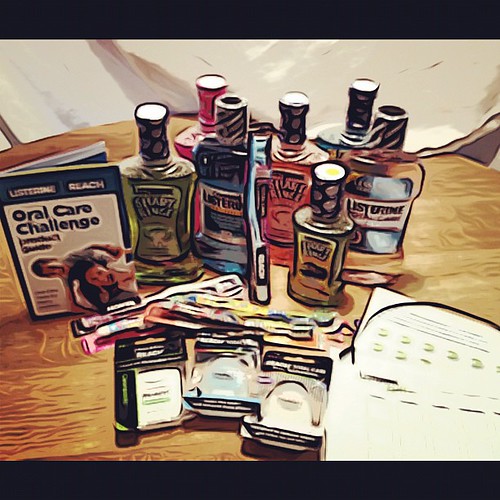
Oral Care Challenge #Listerine #healthyhabits #teeth #yo

LISTERINE® and REACH®  sent us a box full of "tools" to use while taking the challenge - and a nifty chart (you can download the PDF) to mark our progress. My kids had no idea that there were as many flavors of rinse as they sent us, and promptly turned the moment in to a "product test" homeschool activity with their grandfather. He even tried the pink Barbie flavor! They decided on a favorite and whisked away a toothbrush and bottle of rinse to their bathrooms. They have been eagerly awaiting our challenge since.

The plan is to go for THREE WEEKS and keep track of our family's progress - brushing, flossing, and rinsing twice a day (and after lunch if we can remember it).

You can join along with us (at this link: www.walmart.com/AHA/Listerine/Reach) if you want! [I know at least one other person who had flossing as one of her new year's resolutions!]

I'll be tweeting about our progress on Twitter (you can follow me at @sprittibee) using the #healthyhabits hashtag. At the end of the three weeks, I'll be posting about our family's experience and sharing our product test results and any notes and comments from our kids about the journey. [If you don't know what a twitter hashtag is.... um... well, just stop off at Facebook and I'll be linking up my posts over there, too!]


I love the ideas put forth by the LISTERINE® and REACH®  team to put music to your brushing routine, to use a gold star type point system or chart (my favorite star iPhone app for chores and hygeine is iReward Chart), and offering your kids prizes or rewards if they do well for a certain period of time.

Don't tell the LISTERINE® and REACH®  guys, but I plan to give them all a pint of ice-cream of the flavor they like best if they complete the challenge by the end of the three weeks with stars on every day. I'm going to set iPhone alarms, too. If we brush, rinse, and floss after we have our sugary ice-cream treat, I'm sure we'll be OK!

Be watching for some pearly white smiles in three weeks!


Disclaimer: This post was sponsored by the Motherhood, Walmart, LISTERINE® and REACH® but the opinions expressed and the photography and graphics are my own.

February 05, 2012

Iphone Texas and ALL the Photo Apps You'll Ever Need

Guilty pleasure: #instagram

I have a guilty addiction. In case you don't already know what it is... I'll give you a hint:

It starts with INSTA and it ends with GRAM.

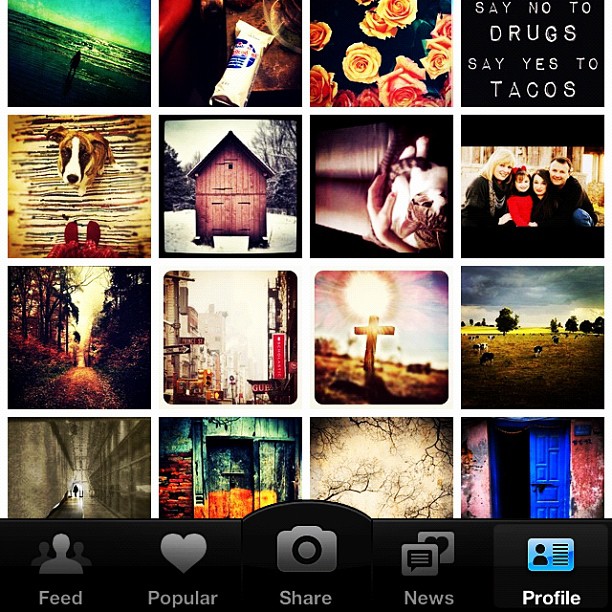
Instagram is like a mobile iphonography club. It is like twitter with photos. Or Facebook without the scary links to everyone in your email box without your permission. Or for you older folks [I'm really dating myself here...] it's like the old party-line phone, you know - the one that you could pick up and listen in on and hear everyone's conversation - and only join in if you wanted to. You follow the people's photo streams that you are interested in... your friends, your family, photographers and strangers. You don't have to comment if you don't want to. Just scroll through your "feed" and double click the photos you love. Comments are optional but treasured.

You can even follow along on the Web at Webstagram. It is much easier to type replies out with your keyboard.

Warning: Iphonography is addictive. [There are even entire blogs about it! Yeah, and my friend Dawn has a great link-up on Fridays called Camera Phone Friday that you can make collages from your weekly photos and share.] Seriously. It is becoming an epidemic.

Love this quote by @joshjohnson (follow him on Instagram)...

iphoneographer revolution by @joshjohnson

The cool thing about Instagram is that it helps you share - and keep a personal record of - your daily life. It's a mobile-phone scrapbook; slices of yourself - the things you see, the things you love, the art you make from the world around you... every day.

And there are SO MANY photography apps for your iPhone that are amazingly helpful at editing your pictures so that they pop. I have taken a photo of a few of my Photography folders on my iPhone for you to see. Below the graphic are some tips on each app that I own...
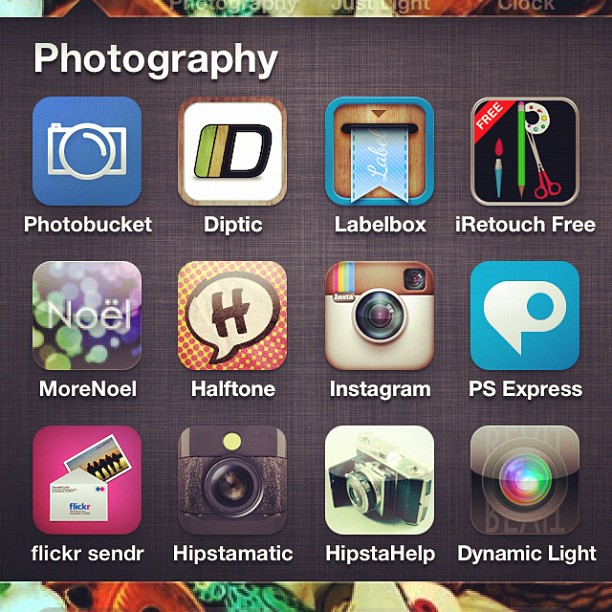
Sharing my photography app addiction. #instagram #instadaily #apps #retouching #filters #editing #photoart

Photobucket: I don't really use this app any more because I use Flickr for most of my photos now. I'm trying to move away from having multiple accounts for graphics.
Diptic: This little collage app is the best way to make tiny collages out of your photos. You can add up to 4 pictures in to a collage and pick the layout and size of the rectangles or squares. It allows you to change the border colors and round the edges as well.
Labelbox: Neat little tool to add tape or ribbon to your photos and type on them. This is one that I got early on, but I don't use it as much any more. I purchased one today called Phonto that allows you to add text (and some others of mine allow it, too) - upon recommendation from one of my favorite Instagrammers: @Texaschica (follow her - she posts awesome pix and she's a homeschool mom)!
iRetouch: I got this one in the early stages of my iphoneography addiction, and it has a lot of editing tools similar to PS Express, but to me, it is just a duplicate application now - since I found others that do the same thing and are more enjoyable.
More Noel: Fun app to add bubbles of light or stars and shine to a photo. You'll need to start with a good photograph that has high contrast or dark color, or it will wash the picture out.
Halftone: Turns your photos in to comic strips with spots for you to fill in the date or journal a bit about them.
Instagram: community photo site where you can follow/block/like pictures by others. Great place to share your photos you take of daily life. You can take part in monthly challenges or tag friends and grow your talent as you practice and "gain new eyes" for the world around you. The program has quite a few filters - black and white, a 70's look, a bit of texture, a brownish filter called Earlybird, etc. You can take photos and alter them in Instagram and not have to edit them elsewhere if you want. If you are a casual user, it has plenty of bells and whistles. When you finish with your picture, you can hashtag it to be included in group pools (like a Flickr group, but for Instagrammers), you can save it to your phone, you can tag others in your description and it will send them a message, AND it will automatically upload to Flickr, Twitter, and Facebook - depending on what you select! It is the easiest, fastest, and "coolest" way to get your phone pictures uploaded to your Flickr account.
PS Express: Photoshop's little iPhone App. It has some neat filtering tools - and if you want to pay nearly 5$, you can get the image smoothing feature ("reduce noise") that takes the digital-looking edge off of your mobile pictures. I have seen some edits using this feature and they are amazing. I didn't want to purchase the full pay app, so I use the free version. You can edit exposure, saturation, tint, contrast, make a black and white, crop, sharpen, soft focus (blur), create a sketch, add a border, or do a quick color effect like 'vibrant', 'pop' (think Andy Worhol), or my favorite: 'Vignette Blur'. This was my first app for photos and I don't use it as much as I used to, but I do think it is worth it - especially if you are serious and buy the paid version so you can "reduce noise".
Flickr Sendr: No explanation needed. Upload your mobile pictures straight to your Flickr account and tag them - easy peasy. I use this for photos that I do not want cropped (rectangular photos are cropped to squares by Instagram).
Hipstamatic: This is an awesome app if you like to tinker with 'off the hip' shots. It has a 'pretend' camera and allows you to pick the lens type and film type and then you take photos from inside the app and it gives you the result. I have gotten some cool effects from the app, but I like to have more control over the photo and didn't have time to really play with it enough to gain the control I wanted. I purchased the manual for the app, but didn't want to waste more money for additional film or lenses. If you are bored, this would be a really fun "toy" to play with for those who are addicted to iphonography. I would suggest Photo Forge 2 (see below) if you are interested in this app.
HipstaHelp: The manual for Hipstamatic - which shows you some hacks on how to achieve the coloring and effects you want from the app. I highly recommend buying it if you like Hipstamatic.
Dynamic Light: Really cool set of filters you don't want to be without. It has a wicked HDR 'overcooked' filter. The app auto-edits your image when you open it and allows you to decide if you want to keep it. The little FX button takes you to a world of extra filters to play with. It has a 'Manga' filter, a 'Orton' filter, a vignette, a 'Realistic Skin', and a set of aged photo filters to make your picture look like it came from your grandparent's time gone by. My favorite of those is called 'Calm Print'.


Photo app madness. Some faves. #photoart #editing #filters #retouching #apps #instadaily #instagram #jj #all_shots #febphotoaday

Camera+: This is probably my very favorite editing application. I love it. It has a lightbox where you can pull in more than one photo at a time to work with. It allows you to save to your phone, edit, crop, add borders, use effects (filters), and send to Flickr, Facebook, Twitter, SMS or email. One thing I use often in this app is the adjust feature (you can rotate and flip photos with it easily). I also use the 'Clarity' feature because it sharpens and pops your images in one click. It has smart edits that adjusts for different types of scenarios, too... like 'cloudy', 'portrait', 'scenery', 'night', 'sunset', 'concert', 'food', 'fluorescent', 'shade', 'backlit', and a fake instant 'flash' you can apply. There are four pages of color filters and they are my favorite of any program. I bought the fourth page (they are extra $) because I felt they added to the program. You could get away with just this one app and Instagram in my humble opinion. But I'm addicted to editing, so I had to keep going!
Xiamen (the Red Korean Photo App): I know, you can't understand it! But it is easy to navigate by looking at the universal buttons. My favorite features in Xiamen are the filters and the circular center focus ring feature. You can pick the sharp portion of the photo and have a circular radius of blur that extends from it - making the rest of the photo out of focus and soft (this same feature is in Snapseed). You can alter color and crop from Xiamen, but mind your Korean! I mainly use the filters because they require no foreign language skills. Just click the little magic wand and three scrolling rows FULL of filters appear. There's a nice HDR and some pretty LOMO filters, two really nice antiqued filters that add a little scratchy texture, and it even has a shine effect that makes your subject look like they are emitting rays of light like the sun. I used that on my Christmas tree angel topper this year and loved it. Xiamen has a couple of fake sun flare filters (you can also get this on Big Lens) and fake snow... and some great bokeh lights - in all different sizes and colors. It might take a while to get used to the strange characters, but the filters make it all worth it!
Tilt Shift Gen: I never bought the paid app, so I can't say that it isn't 'all that', but I don't ever use it. It was recommended to me by another instagrammer a long time ago, but I found that I had most of the features I needed in other apps (not worth paying for duplicates). If you know of a reason why I should give it another look, let me know!
Photos: I moved my iPhone photo albums in to this folder - this isn't an App.
Picfx: This one is my "texture" app. It has textures for a 'grunge' look, 'classic' looks like 'Old School' (a fave) and 'Olden'... and a bunch of texture overlays - including one that looks like cardboard and another that looks like peeling paint. For the really artistic, it has 'space' filters to add a galaxy of stars and light to your photos and for the grunge-lover, it has light leaks, sparks, and 'burnt film' looks. Picfx has a slew of great frames if you are making photos for Flickr or blogging that you don't plan to Instagram, however, Instagram might ruin the effect of the borders because it has it's own set of borders (that you can turn on and off). Also, when adding border to a rectangular photo, you have to remember that Instagram will crop the picture.
Pic Collage: Have to admit that I don't use this often. It is more of a non-Instagram app because it layers photos as if you laid them all down on the table. Instagram will crop these off at the edges if you use a bordered filter, so I usually upload straight to Flickr or Facebook if I use it.
FotoLr PS: There's a LOT to this app. It reminds me of a very different version of Camera+. It allows you to create collages and edit photos. The editing is much more detailed in this app than in most others. You can do a 'Quick Edit' by rotating, cropping, sizing, or even doodling on the picture. You can edit the 'Color' by changing the brightness, creating a mosaic, distorting, selective coloring, or using a TON of filters similar to those on both Camera+ and Tilt Shift Gen, and even create symmetry edits that alter the picture to look like a kalidescope or duplicate mirror copy of itself - fun! That's not all. You can edit blemishes, whiten teeth, add lipstick or blush, add fake eyelashes or googly eyeballs! The program allows you to add text also. It has a bunch of frames and additional ones you can download, too. I like their winter snowflake frame. You can also make your photo 'greeting card' or 'e-card' ready by using the "SCENE" feature which adds backdrops and props to your picture based on holiday, card, or classic themes. Beware - this program won't download or upload unless you are on a wireless network. It is too large for 4G. I suspect it takes up some space, too.
PhotoForge 2: Here's another one that has so much to it that I haven't had time to fully explore it. It has one of the most interesting and fun interfaces - your controls are listed as icons in a scrolling bar under your photo and you can zip through them very fast. I would venture to say that PhotoForge 2 probably does as much as all of these apps together if you have the free time to figure it all out and get used to it. I played with it tonight and discovered some new things about it I didn't even know... such as: it mimics Hipstamatic in that it allows you to alter your image with different films and lenses; which is really cool because you don't have to take your image and leave it that way - you start with your previously taken image and add the filters after - much better way to experiment! Sorry for the run-on sentence, but this app is a run-on of endless photo addict fix - I would highly recommend this to the true iphoneographist.
Frame Magic: I got this app when I was trying to figure out how to do rounded corners in my collages - without a border. I ended up going back to Diptic for my needs, so I really don't use this one that often.
PhotoLr CS: I haven't EVER used this app and I suspect that it is something that PhotoLr PS was giving away free one day (I don't like the ads that pop up in there). I played with this tonight and it looked to me like a camera that does zoom and shake. Not something I would use. I only use the Camera in Camera+ or the actual iPhone Camera app.
Snapseed: This is one of my newer apps, but I already have fallen in love with it. It has grunge filters, ways to edit color, spot edits (which I haven't figured out how to use yet), drama edits (tonight the 'Drama' edit on Snapseed was able to help the quality of a low-light photo I took at a restaurant before I instagrammed it), and a nice tilt & shift which is similar to the circular radius that blurs the rest of the photo but your "sweet spot" - however, it is a horizontal or vertical line instead of a circle (you can also do this in Big Lens). It has the center focus (circular blur) as well (also a Big Lens feature). It has drama filters, grunge filters, vintage filters, frames, black and white filters, and other fine tuning options that I just haven't had time to play with. Snapseed is one of the more recommended apps on Instagram, so I suspect if you don't hear it from me, someone else will tell you to get it!
Big Lens: Another new one for me, but a great app! You can selectively add edits to the photo based upon you picking the part of the photo you want to be changed or stay the same. This app allows you to add a bokeh effect and make the picture look as if you used a DSLR lens. It has shaped bokeh - stars and hearts included. Big Lens has some great filters that you won't find elsewhere; my favorite being the solar flares. They look very realistic - like what you would get off of a glass lens. You'll find a variety of filters in this app, too - with warms, colds, lomos, flares, and a neat one called 'fire' that you won't find elsewhere.

I added FOUR new apps to my collection today that aren't listed up there, too: Percolator, Blender, A-HDR, and Phonto. I'm just getting used to them, so maybe I'll review them later!
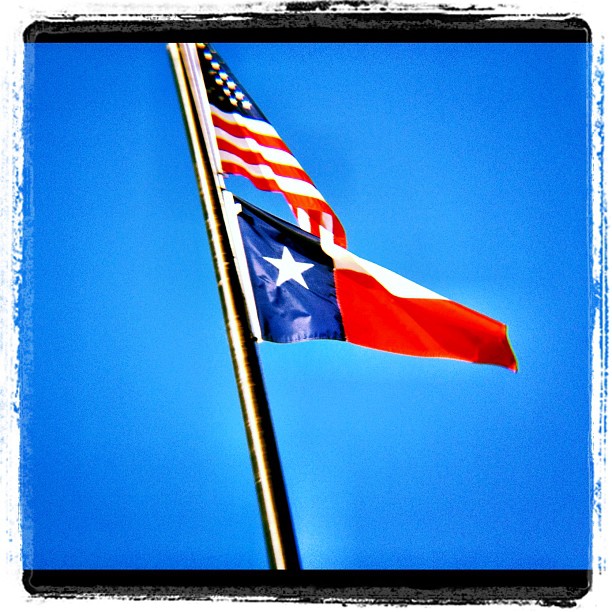
Flags #Texas #usa #America #iphone #blue #sky

I love iphonography so much that I started a new Flickr group today for those of us who love Instagram and our iPhones and are in Texas!

If you are in Texas (or just love Texas - displaced Texans welcome), join the fun at our Flickr Group page: iPhone Texas! Yeeehaw!

You can enter up to 2 iPhone shots a week that are family friendly. I might feature a few of them here with your permission.

You can play along by hashtagging your ig photos as well. All you do is type #iphonetx on your captions when you post photos to Instagram and you'll automagically be entering them in to a searchable pool!

febphotoaday by @fatmumslim

In the mean time, if you are looking for a fun photo project, you might join up with @fatmomslim and take her #Febphotoaday challenge. Today was 'take a picture of a stranger day' and I actually did it!!!

Who Dat? #iphone4s #instagood #instadaily #all_shots #stranger #waiter #neon #greasyspoon #febphotoaday #pink #red #February

My kids think I am the freakiest freak on planet Earth. [Which makes it all worth it, right?]

I can admit that I look kind of strange taking photos of everything under the sun - including strangers. But it is a passion that must be fed.

More iPhoneography, please! I just can't get enough.


Subscribe to Sprittibee by Email

November 05, 2011

How Does a Blog Conference Relate to Homeschooling?

relevant1-sprittibee

Blog Conferences and Homeschool
Are you tired of hearing about Relevant? And just how does a blog conference relate to homeschooling? How do homeschool and blogging fit together? Those are really great questions. Did you know that there were so many homeschool mom bloggers at Relevant that there weren't enough prizes for them when Jenn did her Homeschool Meet and Greet

Rumor had it that there were over 70 women there who were homeschooling (out of the 200 attendees). That's a huge amount! Wouldn't it be grand if there were that large of a ratio of homeschoolers out there in mainstream America - 40 percent of American kids?! How great for the kids if their moms were able to be home with them - and to feel empowered and capable of nurturing and educating their kids from diapers all the way to decimals - and beyond.
relevant5-sprittibee

Field Trippin'
Homeschooling provides a way for you to do a lot of things with your kids that wouldn't be possible in traditional schooling methods - freedom to travel (hello Relevant!), to field trip, to explore, to GO. There's a lot to learn OUT THERE.

Like for instance: Chocolate World (hello field trip!). Who knew all those wonderful mysteries about where the dark stuff comes from... or that you could make your own chocolate bar and design the wrapper?


Keeping a Record, Connecting with Others
One of the many things that makes blogging so attractive to homeschool moms is the journal aspect - the passion of sharing the journey that you are on with your kids. It is like a huge "school project" this blogging thing. A timeline of sorts. Living history. And of course, the homeschool kids can write their own chapters - on their own homeschool blogs. Writing is one of the best skills you can give them - so they can communicate well and shape the world.

Sharing the journey also means connecting with others - encouraging them on their own path, helping those who are struggling, answering questions... being a tiny part of the bigger picture: an online teacher's lounge for homeschool moms.

Blogging Income and Perks
Another great thing about a blog for a homeschool mom is that it can be a source of income (which might equal more field trips - or books). Granted, for most of us, it isn't a large source of income... but a little extra mad money, Amazon book money, or grocery money is worth it if you would have been spending the time "digital scrapbooking" or checking email anyway, right?

And what "funner" way to make money than blogging? Blog conferences are helpful in showing bloggers how to take their website and build on it so that the income streams are possible - and more profitable. Life after Yahoo Email groups for some of us extends to blog posting the best of our ideas - and sharing with an even larger community online. No harm in making a little money for the effort you put in to your online space.

skyward

Then there is the 'swag' or free stuff you can get blogging. Usually, the free things come in the form of the type of niche your blog falls in to: homeschoolers usually get educational materials (ie: curriculums/books/etc). If you are smart, you won't let your review box get as full as mine did this past year. [I'm in the learning to say no stage.] I'll be digging out far in to 2012. Note to those waiting on my reviews: I'm on it!

Free stuff is fun - and blog conferences are a way to get in on the goodies - even if your blog is small. Companies want an honest review - because word of mouth is the best kind of advertising. Free stuff WITHOUT deadlines for reviews (like the swag from conferences) is even BETTER.

relevant15-sprittibee

Life and Learning = Worth Writing About
So... let's recap. Here it is in a nutshell: blogging and homeschooling are great together.

The Relevant Conference was a wonderful source of encouragement that spoke right to my Christian homeschool mama's heart. You don't have to let go of your passions when you take on homeschooling - you can find a way to merge them in to a mixed media masterpiece. Think... art, photography, digital scrap, writing, video, education, field trips, travel, learning - a big blog smorgasborg!

Everything fits in to this thing we call life (and life for us is learning) and that's worth blogging about.


Subscribe to Sprittibee by Email
October 24, 2011

Faith, Hope & Love Give Away by (In)Courage

Remember that conference thing I did last year in fabulous (and chilly) Pennsylvania? Yes - the Relevant one. Well, it's happening AGAIN... and I think I might have mentioned to you that the people who made it all possible for me to go are listed in my sidebar ---> over there...

relevant-rectangle

One of those people - well, peoples - is DAYSPRING's (In)Courage. Have you heard of them? They are only one of the most amazing and uplifting Christian women's blogs around. I heart their devotionals and adore their authors (even though I'm not quite cool enough to be one - probably not organized enough to be one, either -- seeing as how this give-away I'm about to introduce is LATE). Sorry, Lisa-Jo!

inrl

(in)courage and DaySpring are sponsoring giveaways on all the Relevant conference sponsored blogs leading up to the Relevant conference! That means me and the other 7 winners of their sponsorship tickets. I'm the photography winner... and am so thrilled that I get to go see my blog sisters in RL this week. My plane leaves town in two days! [and i'm not packed!!!]

Before I head out on a jet plane, I'd like to thank you - my readers (all twenty of you - shhh, don't tell Dayspring) and deck your walls with this FREE canvas wall art set:

yhst-93128105900816_2163_9061506


Aren't these so cute? They would look fantastic right in the middle of my new chocolate brown dining room wall between the white book cases we use for homeschooling. And they say (those who are decoratively inclined like the Nester), that you should group things in threes... and well, there are THREE of them. Faith, Hope and LOVE -- a great reminder of some very important things that every family needs for great (In)RL relationships to flourish.

Have you heard of (in)RL?  The amazing (in)courage folks have created a way to get us all out from behind the screen and in real life, face-to-face meetings on April 27-28, 2012!  You can host an (in)RL meet up or find one in your hometown. Click here to register!

To Enter:
  • Leave a comment about something you find (In)Couraging. [I could use a little encouraging right now after our whole family was sick last week and mama's still got lingering sinus pressure and a little bit of a cough.]
Extra Entries [leave a comment for each of the below to have them count for one entry - 9 total]:
I'll pick a random (NON-Relevant attendee) winner on Monday, October 31st!

Here are the other giveaways going on now:  Kristen’s giveawayJennifer’s giveawayMandy’s giveaway, Michelle’s giveway, Mary’s giveaway, Myra's giveaway, and Cara’s giveaway!

Dayspring is giving away a lot of awesome prizes on each of these blogs this week -- be sure to visit each of them! If you can't come to hang out with us in RL at Relevant, at least you could get some awesome "swag".

September 05, 2011

Oh, HAI. I'm HEATHER.

sprittibee

Hi, my name is Heather and I have a blog conference addiction. I also have a blog addiction. And a photography addiction. And a baby addiction. I'm pretty OCD all around, actually...

God worked it out again that I could attend the Relevant conference in 2011. I thought there would be no way to top last year (since I not only went, but Chevy leased me a vehicle and my entire family got to travel with me all the way from Austin to PA - with a stop over for a few days in DC so the homeschool kids could "field trip"). [Relevant 2010 was awesome, by the way.] There's no way to top that, right? That's what I thought. God had other plans.


I entered the (In)Courage sponsorship contest after all the tickets were sold out and they picked me to be their Dayspring photographer!!! I had a ticket, and no idea how I was going to get there. God wasn't finished showing off. He brought me Maggie. She and Bright Ideas Press offered to help me get airline tickets to attend the conference! So all that to say - I'm only hotel funds and food expenses away from meeting my Relevant 2011 sponsorship goals and I haven't even started praying hard about it.

I take that as a "God wants you there" kind of miracle. Have no idea what He has up His sleeve, but I know it will be GOOD.


rel10

So here I am, introducing myself to a bunch of invisible blogging friends that I either have met yet - or maybe not... some old, some new - but all SISTERS in this craft and in Christ. I can't wait to give you an IRL hug when we meet up in Harrisburg. I'll be the girl that can't put her camera down... the one who is chasing her tail trying to keep a nursing baby happy, her tweenage daughter fed with snacks, and her heart from bursting with joy at being able to be around her online friends AND take photos at the same time.
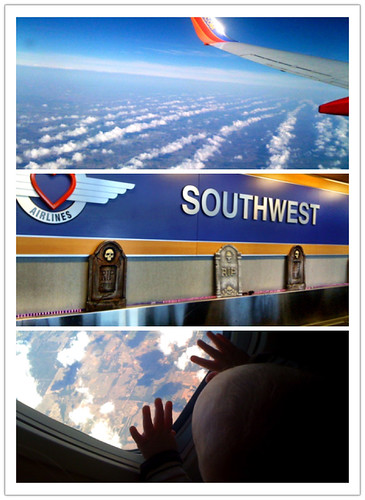


About me....

I love my kids:  a teen, a tween, a toddler and a tiny 7 month old teething baby.

I'm a crazy homeschool mama.

I've been known to say "If I can homeschool, ANYONE can." That's just flowery language for my secret blog tagline, which is: "I suck at homeschooling so you don't have to."

I live in Texas.

I blog about everything under the sun. From a homeschool mom's perspective, of course. Which is a very eclectic viewpoint; almost as eclectic as my curriculum. But not quite.

I ponder deep things while juggling the domestic.


I make lists... and can't stop organizing things. Which doesn't mean I have it together.


I'm the queen of long road trips.

My goal is to try and live in the moment... and to find joy in it.

I come from a long line of black sheep.

I steal french fries.

Sometimes my blog is blank.

I love my iPhone.

I cook gourmet meals (when I feel like it).

I take peekshurs.

sprittibee

I have been blogging (and trapping Google searchers) since 2005 and am pretty much the last ancient dinosaur blog that hasn't migrated to Word Press where all the cool people are. I threaten to do it a lot, though. Just to keep people on their toes.

I write at the Homeschool Post (which is running its 7th annual blog awards for homeschoolers right now); with another 19 amazing bloggers you might already know:

homeschool post authors

I don't use proper grammar. Unless I'm taking a test.

You can find out more about me at these links:
About Me
Faith
Homeschool Journey in a Nutshell

So how about you? Where did you surf in from? What's your blog link? How long have you been blogging? Have you been to any blog conferences yet?

I can't wait to meet you all!


signature

I LOVE MY SPONSORS:


August 04, 2011

Texas Homeschool Coalition Conference 2011: I Heart Conference Photography

thscconf7

Once upon a time I took pictures. And then there was a conference (Type-A Mom); at which I took photos - for free. And another conference (Blissdom). And another (Relevant). And then finally, I was 'hired' to do it (THSC). Which is so much 'funner'. Because if you are going to drive insane distances to go to a conference, you might as well get paid back some of your travel expenses. Right?

And now, after all these years, I finally found my dream job. Right under wife, mother, homeschooler, and eater of dark chocolate. I think conference photography might even trump blogging. But that's too deep of a subject for tonight.

thscconf3

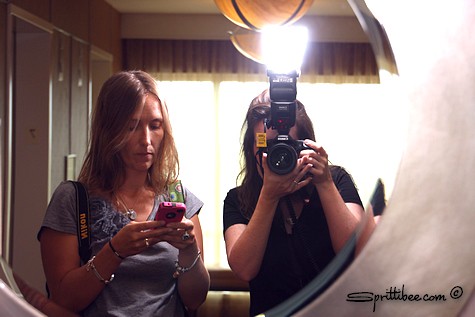
It was so much fun taking pictures for THSC. I'm counting the days off until next year when we can do it again! Maybe somewhere in-between now and then I can upgrade my camera. Playing with so many great cameras has extended my wish list. Jennifer and I both had 2 cameras dangling from our bodies all weekend. It was a photographer's dream come true.

Later this week, I'll share the slideshow that they made from mostly Jennifer and my photos of the event. 

thscconf6

And this is my new best girlfriend that hired me to take pictures. Did I mention that I love her? And one day she's going to be a famous blogger. She's like Pioneer Woman mixed with Ann Voskamp - just waiting to happen online. You should have heard her tell the story about the missing barbed wire fence. Southern women are the best of the best. I love me some Texas twang, too. I can't wait to introduce you to her as soon as Jenn and I talk her in to starting her own blog. Give me a second and I'll let you know when we convert her.

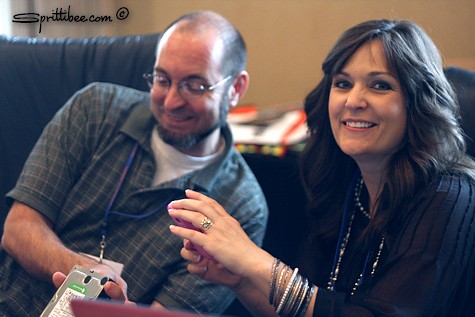
The nice dude in the picture above tried to fix my hard drive that crashed. You know that "what can go wrong, will". And it did. My week-old hard drive crashed - along with all the photos of Jennifer and my trip to San Antonio (the Alamo and Mi Tierra's), the Bob Bullock History Museum, and our twitter meetups.

Thankfully, we have a few Instagram shots for the memories:

Mi Tierra's in San Antonio - a Texas Treat! #incourage

There's no telling what else was on the hard drive that I lost. Family reunion photos from June -- I can't even bring myself to think back to what photos I took in the past few months. Partly because I haven't slept good enough for deep thinking in nearly three years. But I digress...

Oh, yes - lost pictures.

I'm still not talking about it. The trauma is deep, people.  DEEP and wide.

I made a vow to back up my other hard drive this week on two different computers. And I'm probably buying a subscription to Carbonite. It pays to have multiple copies of your photos. I learned that this weekend THE HARD WAY.

thscconf5

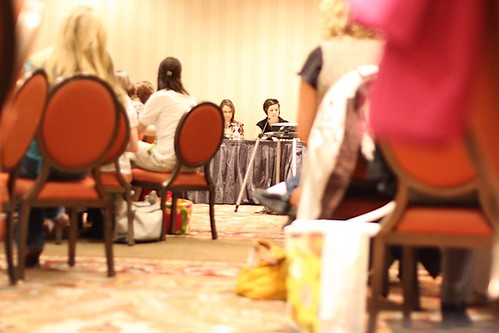
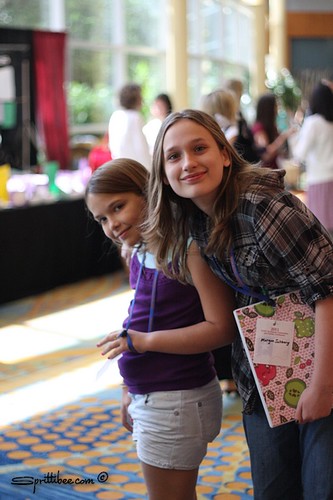
Blog conferences -- especially ones in which you must be everywhere at once -- are much easier to do with some assistants. These girls helped care for the nursing baby and kept us in stitches. And nearly made us pee our pants when they jumped out of the curtains in our room.

thscconf4

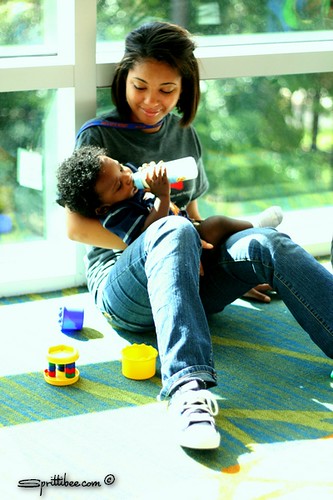
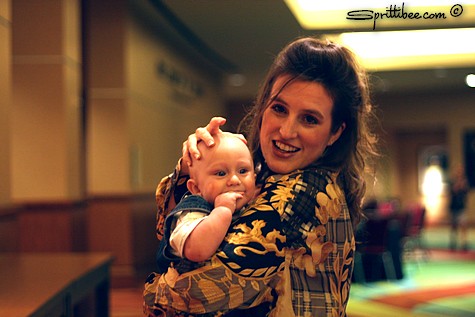
Blog conferences -- especially ones in which you must be everywhere at once -- are NOT much easier with milk ticks. But you might have guessed that a 25 lb chunk of slobber might slow down a photographer. However, they make great subject material when you are testing your camera settings. One of the other photogs took this picture with a dreamy professional Nikon. He didn't have a business card. Someday I'll come back in here and give him proper credit. The baby, of course is my own property - but credits go to the Big Guy in the Sky for his creation.

thscconf1

Isn't he cute? His mama, however, needs to go on a diet. Thankfully Jennifer knows to take photos from the waist up. God love her.

thscconf2

And then there was this guy. Some of you may know him. He's like a homeschool rock star. TIM HAWKINS - the comic: @timhawkinscomic on Twitter. I had so much fun photographing him - and enjoying the show at the same time. He's even funnier in person than he is on YouTube. I couldn't believe that Jenn's little girl slept through his show.

thscconf8

So did this guy. He and Maggie had their own laughs, though. They are the bestest of buddies. In fact, we tried to talk Jenn in to leaving Maggie in Texas, but she wouldn't hear of it. Apparently Maggie is a pretty good navigator - and Texas is a long way from Florida. I'm still crushing over the fact that Jenn drove so many thousands of miles to hang out and take pictures with me.

Alamo in 104 degrees. @dazeofadventure and @Sprittibee 's daughter ... #incourage

What a Texas sized bunch of conference photographer fun we had. I can't wait to take peekshurs with her again in October.


Disclosure

Some posts on this blog contain affiliate links or sponsored links. I receive a small commission whenever a product is purchased through an affiliate link. Sponsored links are paid for by a company who wishes to improve their Google ranking, but I always check to make sure these are reputable sites and never allow any links that are questionable to be placed.

The links in my "Sweet Linkage" section are either sponsored links or personal links that I find interesting (including the links to the blogs that both of my teen children run).

I occasionally run ads on my blog in exchange for money or traded advertising, or receive products in exchange for a review or giveaway posts. I also participate in campaigns by brands that offer to pay me to write about their products after using them. Any post that is sponsored will be noted as such. All opinions expressed on Sprittibee.com are my own, and any review, give-away, sponsored post, graphic ad, or product that I mention or link to are ones that I believe are reputable and worthy companies.

Stats

blog design:

blog archives